Introducing the New Client Portal Dashboard: The Ultimate Self-Service Hub
Your customers just got a major upgrade.
We’ve completely rebuilt the Client Portal Dashboard from the ground up. It is no longer just a list of invoices—it is now a command center where your clients can manage their entire vehicle life cycle without ever picking up the phone.
From tracking expenses to approving estimates, everything is now visible at a glance. Here is a tour of the new design and why it matters for your business.
1. A Smarter First Impression
The first thing your clients see is a clean, modern interface designed for speed.
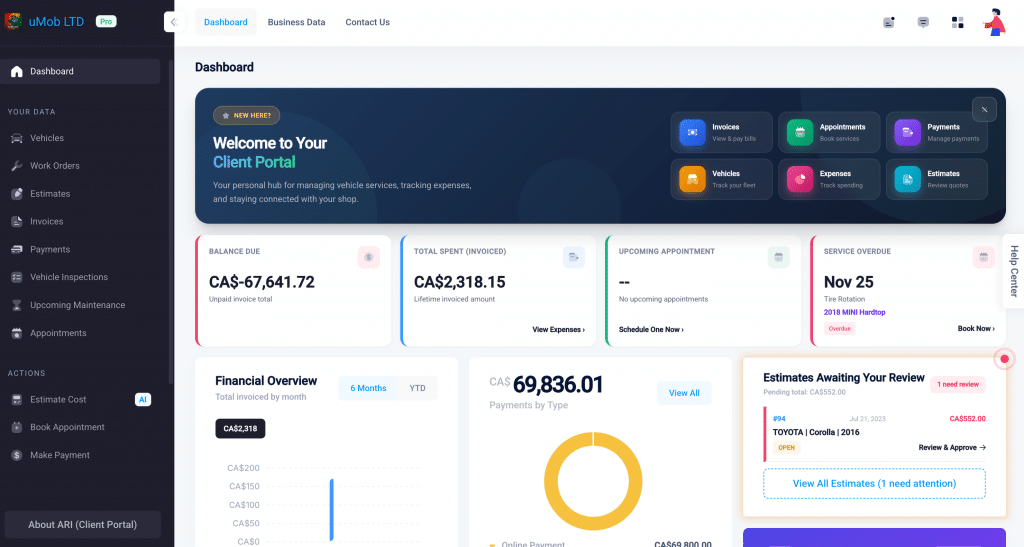
- Quick Actions: In the top right, we’ve added six “Quick Action” buttons. Your clients can jump straight to Invoices, Appointments, Payments, Vehicles, Expenses, or Estimates with a single click.
- The “Zero-Confusion” Welcome: A welcome banner immediately guides them, so you get fewer “How do I use this?” calls at your front desk.
2. The “Pay Now” Nudge (Financials)
We know cash flow is king. That is why we put financials front and center.
- Deposit Alerts: If you requested a deposit, your customer can’t miss it. A bright yellow banner at the top of the dashboard shows the total requested, with a direct “Pay deposit” button. No more chasing down down-payments.
- Balance Due: The first stat card shows exactly what they owe in big, bold numbers. If there is an outstanding balance, a red “Action Required” badge appears with a Pay Now link.
3. Visual Spending Trends
Trust is built on transparency. We’ve added a Financial Overview section that looks as professional as a bank statement.
- Monthly Expense Tracking: A clean bar chart shows their spending history over the last 6 months or Year-to-Date.
- Payments by Type: A new donut chart breaks down how they are paying you—whether it’s Cash, Card, Check, or PayPal. When customers see exactly where their money goes, they feel more confident approving the next big repair.
4. Action Items & Estimates
Stop letting approved work fall through the cracks.
- Pending Estimates: A dedicated sidebar card lists every estimate waiting for approval. It shows the Estimate ID, Vehicle, Amount, and Status (Sent/Open/Paid). Customers can click “View All Estimates” to approve work instantly.
- Service Reminders: The “Next Service Due” card pulls from your reminder system, prompting them to book before they even realize they are overdue.
5. The AI Advantage
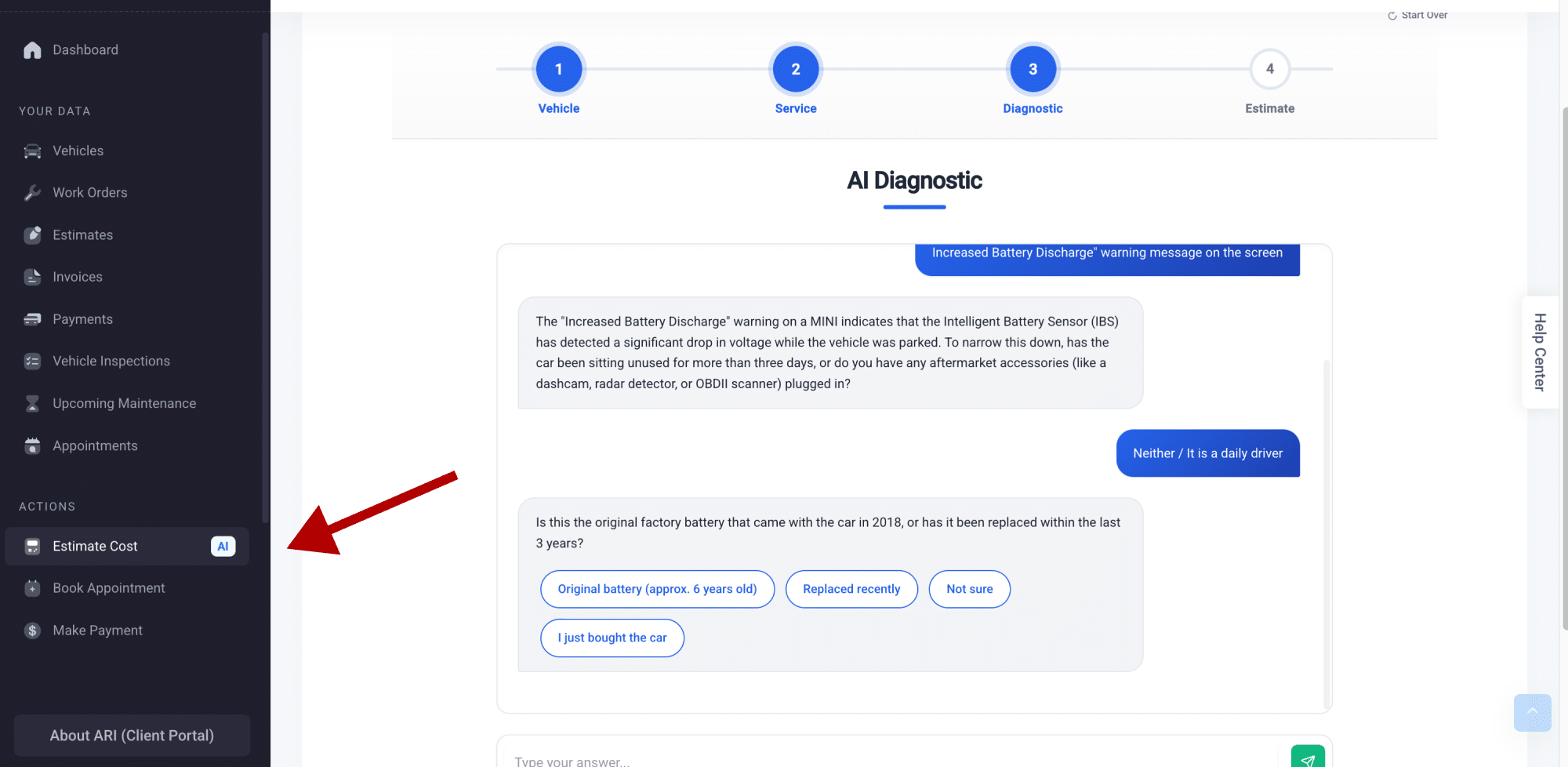
You will notice a distinct Purple Card in the bottom right corner. This is the AI Cost Estimator. It encourages customers to get an instant, AI-powered ballpark estimate for their next repair in ARI (Auto Repair Software). This sets realistic price expectations before they even contact you, leading to smoother conversations and faster approvals.
🚀 What This Means for Your Shop
Every pixel of this new dashboard is designed to reduce friction.
- Fewer Phone Calls: Clients can check balances and appointments themselves.
- Faster Payments: The yellow deposit banner and red “Pay Now” badges create urgency.
- Higher Retention: A professional, data-rich portal makes your independent shop look just as polished as a major dealership.
The new dashboard is live now. If your customers haven’t logged in recently, now is the perfect time to send them a link and show off your new look.