

Order parts easily with PartsTech and ARI!
Smooth and reliable parts procurement process.
The service is available only in the US and Canada.
Find the right parts faster with PartsTech. One search gives you a clear look at live inventory and wholesale pricing from all your suppliers at once. After a quick setup, you can order parts directly through ARI in seconds.
Note: PartsTech is currently exclusive to the US and Canada. The integration is not available to users in other countries.
In case you don’t have one already
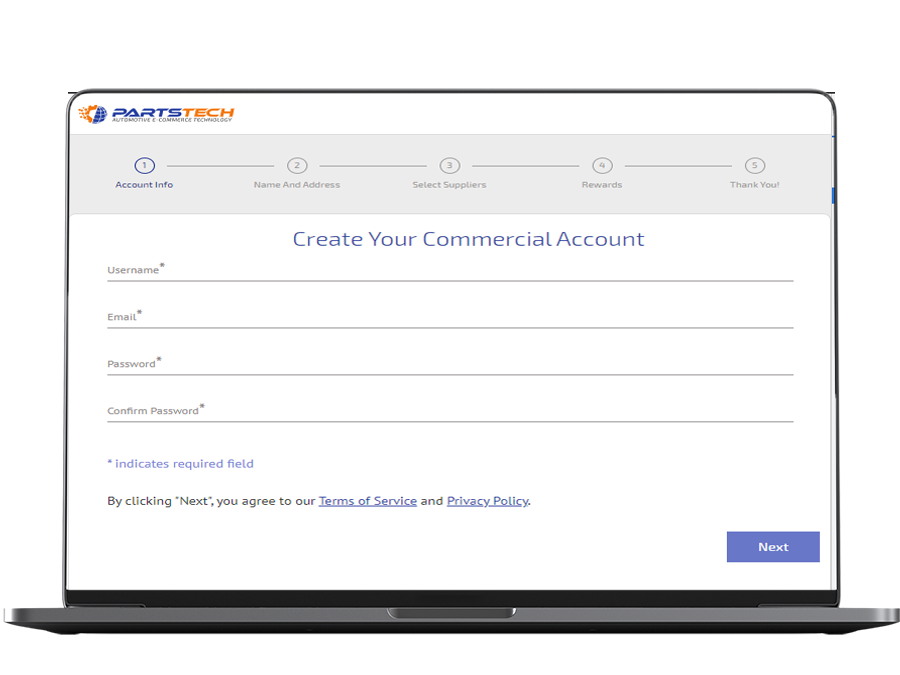
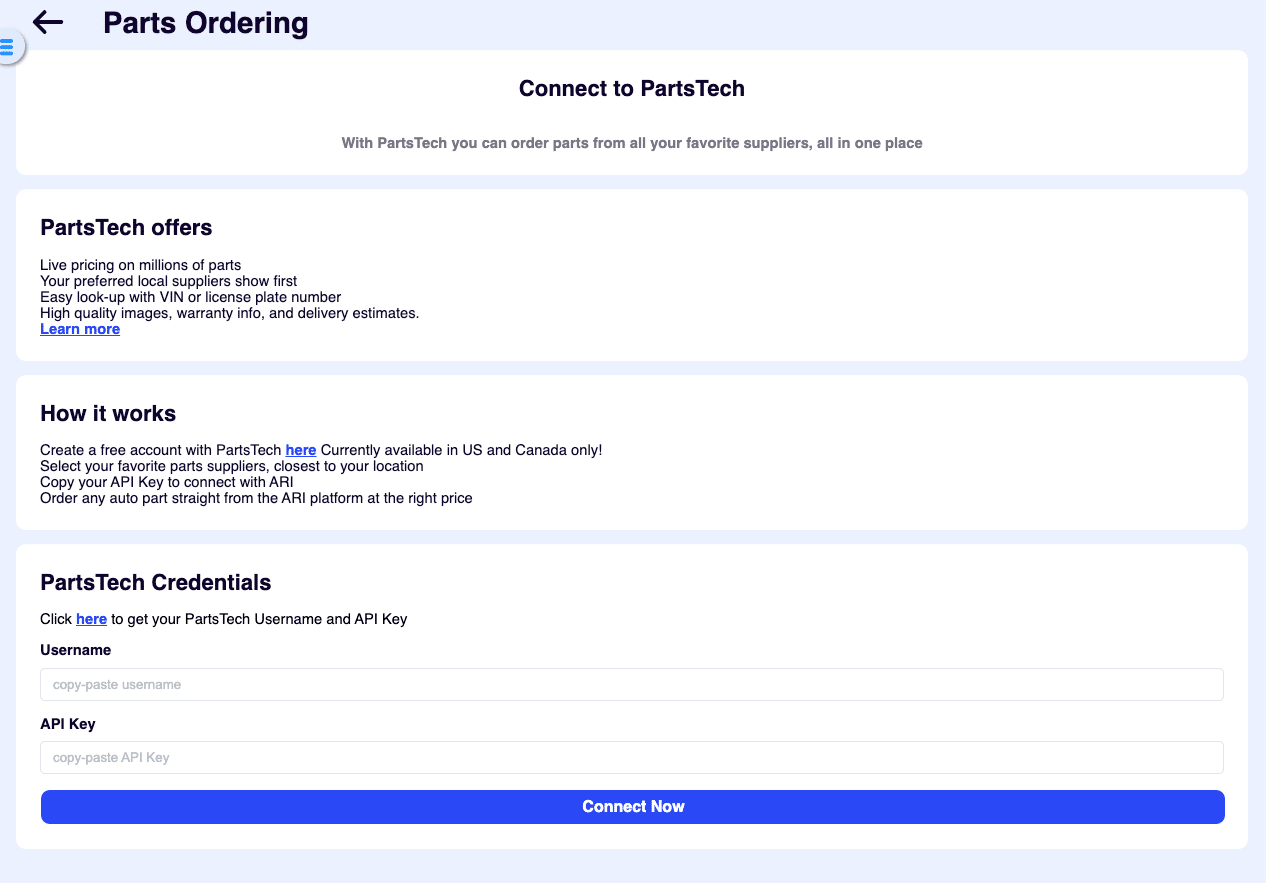
Before you can use the PartTech integration, you need to make sure your accounts are connected. This will allow you to open your PartTech account inside ARI without leaving the app.
If all is good, you should see a Successful Connection message.
Once connected, the PartsTech buttons will be visible on the Job Card/ Invoice pages and in your Inventory.
How to order parts using Partstech in ARI (Auto Repair Software)
One of the biggest advantages of using PartsTech is the ability to easily search for parts within your network of suppliers and add them to your documents.
There are two common ways to order parts with Partstech inside ARI.
In both instances, you are following a similar flow. You need to:
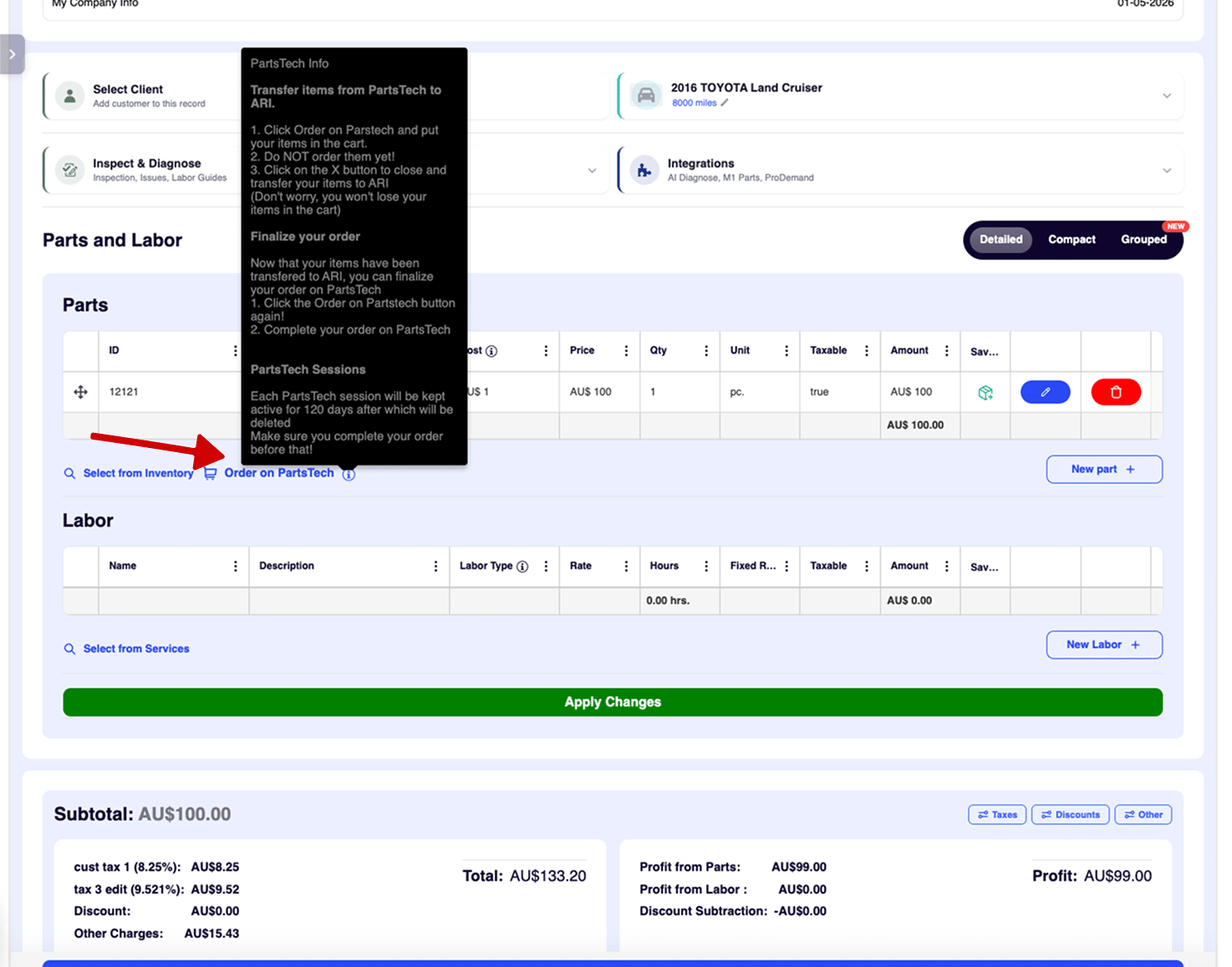
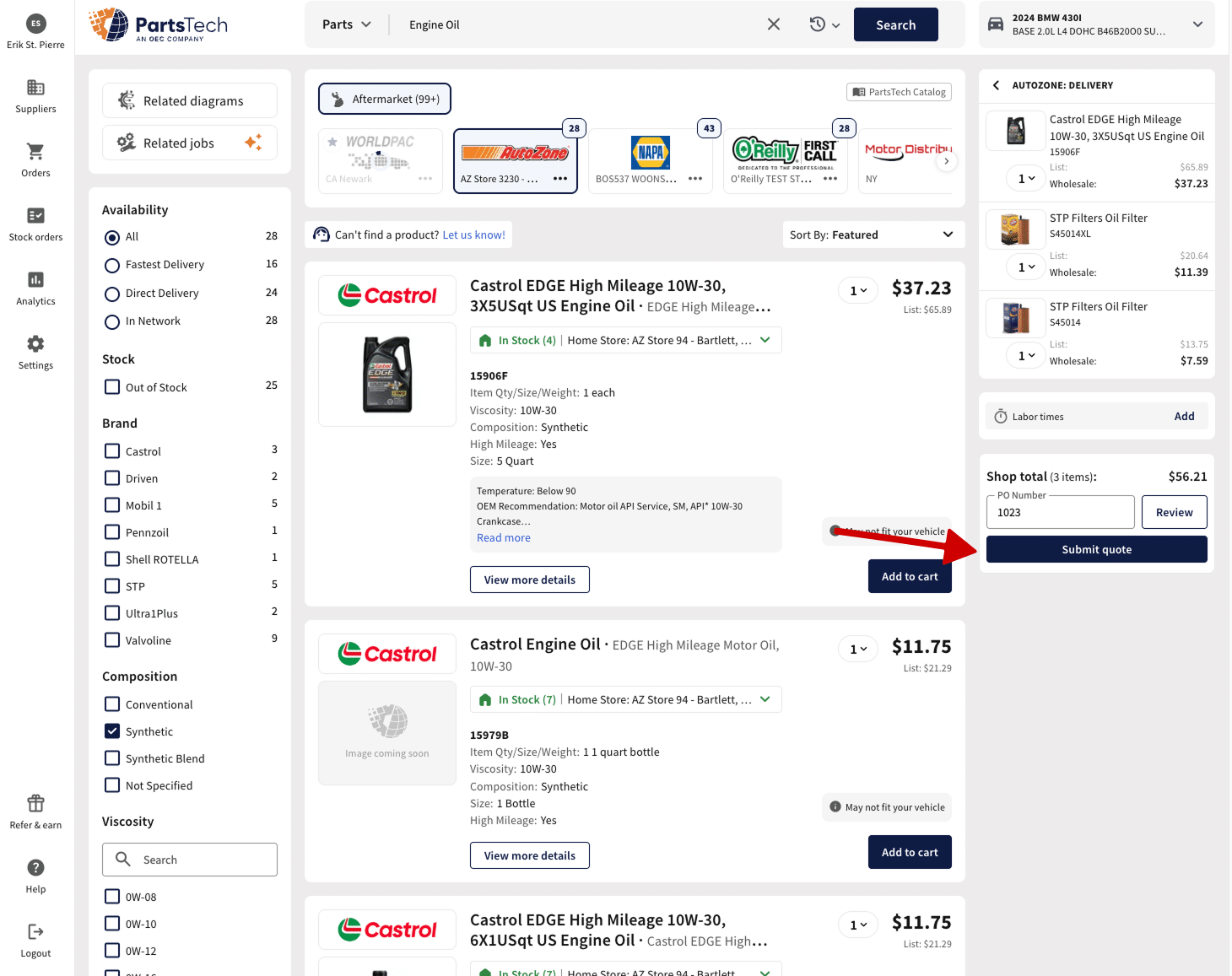
We will have an in-depth look at the parts ordering flow for individual Job Cards/Estimates within ARI.
After you are back in ARI, you will be asked how you want to transfer the parts:
You will see the entire session with all of the parts on your Estimate/ Invoice, and you are ready to place your order.
If you have a previous open session in Partstech, you will see a ‘View Partstech Session‘ button instead of the order one.
Your order will be processed by the supplier you’ve selected, and your parts will be delivered to your address.
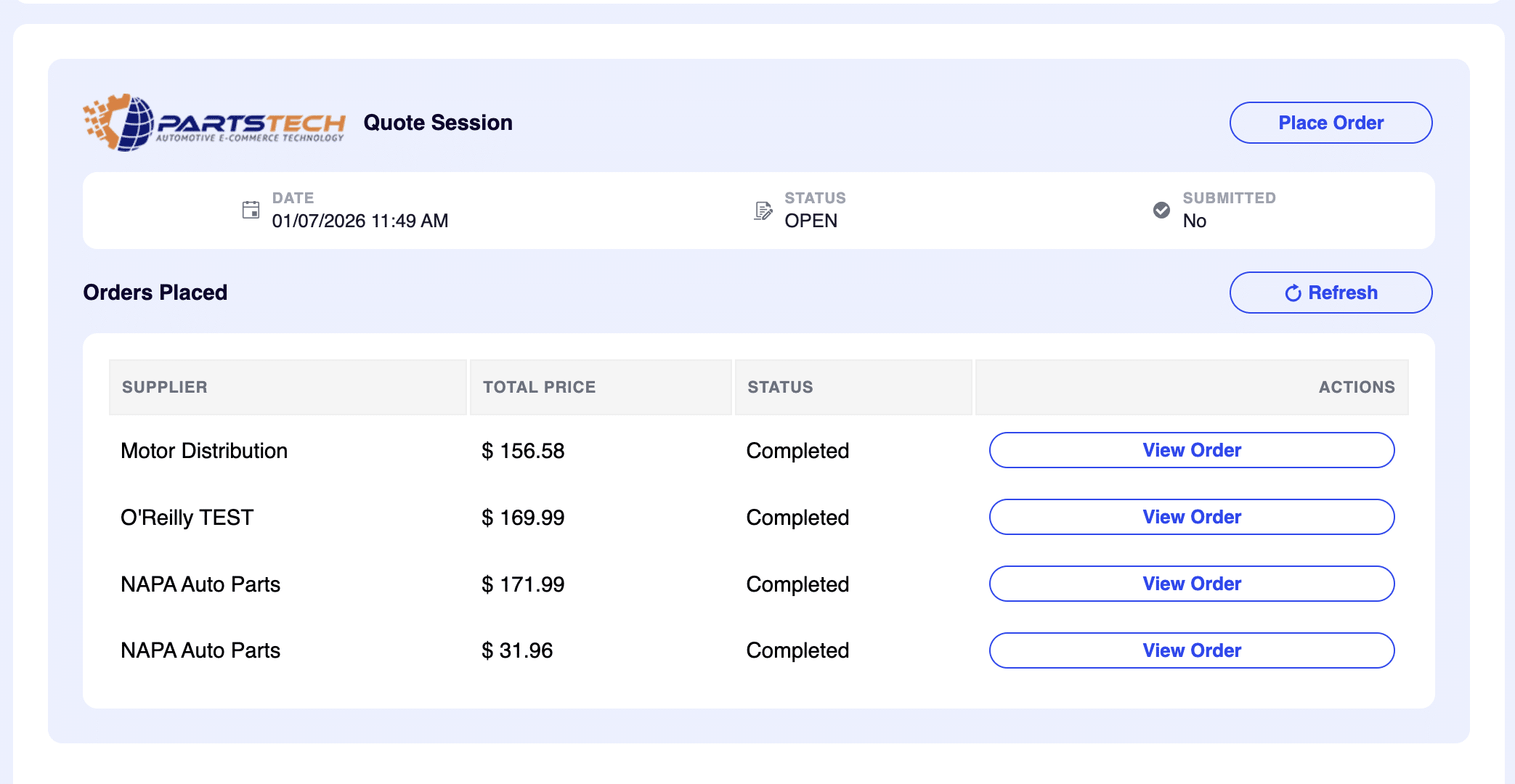
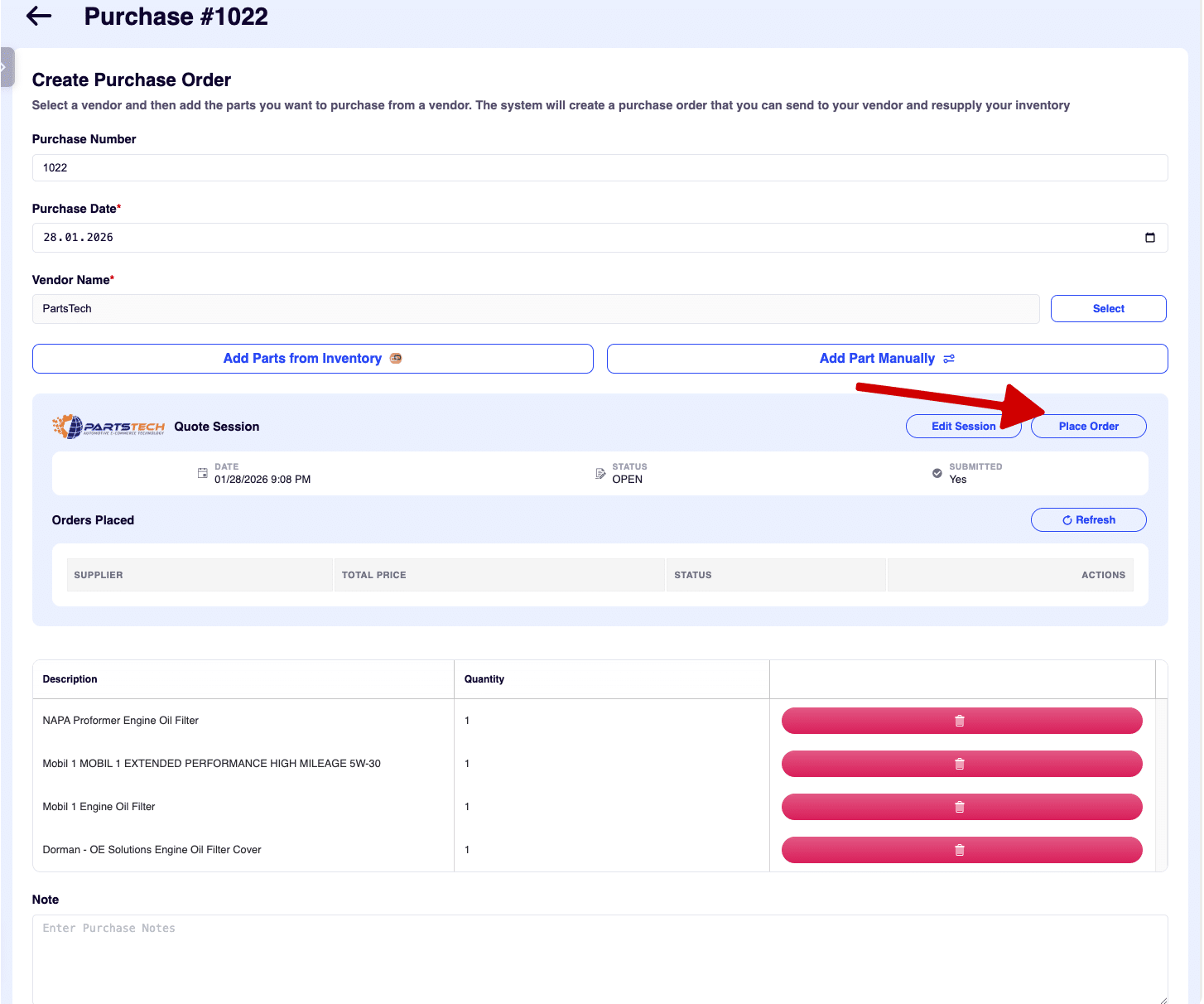
Another way to add PartsTech items to ARI is via the Purchases feature in Accounting. This will allow you to import items straight into your Inventory. Follow the steps below to create a purchase and update your inventory items automatically.
That’s it. Your order should be processed by the supplier.
Add clients, vehicles & all the details that are relevant to them
Create detailed inspections with checklists, damage reports
Manage your parts, tires, business assets, and all other important items.
Track labor progress, start & stop work clocks, approve & deny services.
Restore deleted invoices, clients & job cards within 7 days
Create professional quotes for your auto repair clients
Generate professional invoices for your auto shop’s clients
Generate damage reports & attach pictures to your auto inspections
Let your clients book your services online from the comfort of their home
Earn return customers by reminding them when service is due
Create purchase orders, track your expenses, and monitor your profits
Read Engine Error Codes with ARI monitor car’s parameters live
Reports for your business performance & export the data
Never miss a payment keep an eye on your invoice billing process
Reach your core customers & market business across different channels
Manage vendors, partners & orders for a streamlined repair experience
Monitor and label the activity of multiple employees
ARI’s client portal lets clients easily stay informed when they visit you
Get the most out of your client management with our online documents
Let clients view inspection photos and approve recommended repairs.
Share an interactive online booking page with your clients
Receive payments on your Online Invoices with the world’s most renowned payment networks
Order parts easily with PartsTech and ARI! Smooth and reliable parts procurement process.
Every mechanic benefits from quality Repair Guides and Car Repair Estimates.
Get Service History Instantly. Decode VINs and Plates with Accurate Data from a Leading Supplier.
Get Diagnostic & Maintenance Info. Access Diagnosis, Solutions, and Problem Predictions.
Sync ARI invoices to QuickBooks Online. Manage customers and inventory.
Get detailed labor guides, labor times, and estimates from the world's first AI labor guides system.
Process In-Person Payments On The Spot. Geared towards auto repair businesses.
ARI has partnered with Wisetack to offer your clients extra payment options for auto repair services.
Order auto parts through Nexpart without leaving ARI — a faster, more reliable way to source what your shop needs.
You can access ARI on all major digital platforms.
A complete guide to setting up and running your auto repair business
ARI offers features and settings tailored for auto repair services
You must ensure you keep your app updated all the time
Welcome to ARI's blog for updates, articles, and guides
Welcome To ARI's Official Video Library
Here are our most notable achievements over the years.
Test the features and see if it’s the right fit for you
How to add multiple users to your ARI Profile
Get 3000 ARI Credits by referring someone to ARI