Stop Rebuilding Your Invoice From Scratch. Just Take a Photo.
You’ve spent years getting your invoice “just right.” Maybe it’s a layout you perfected on paper, or a format your customers have recognized since the 90s.
Then you switch to a new software and—boom—you’re staring at a blank template editor, trying to remember if the labor rate goes on the left or the right. It’s a 4-hour headache you didn’t ask for.
At ARI, we think that’s a waste of your time. So we built a way to skip the busywork.
Import Your Existing Design in Seconds
Got a paper invoice you love? Don’t rebuild it. Just take a photo of it.
ARI (Auto Repair Software)’s new AI analyzes your old layout and recreates it as a fully editable template. It automatically maps out where your company info, client details, parts, labor, and totals should go.
Here’s the 60-second workflow:
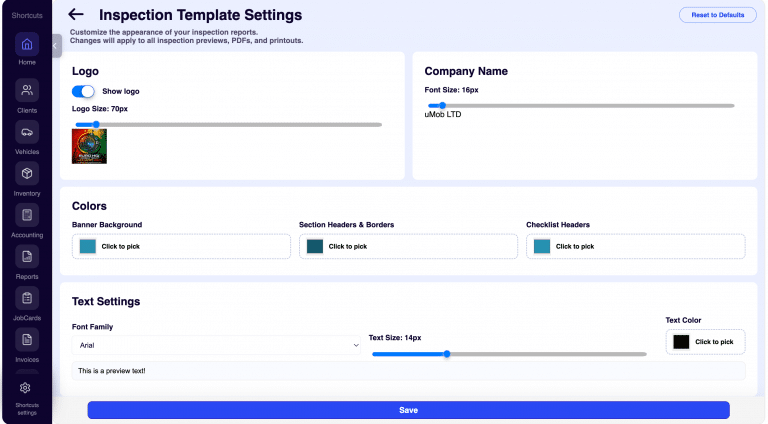
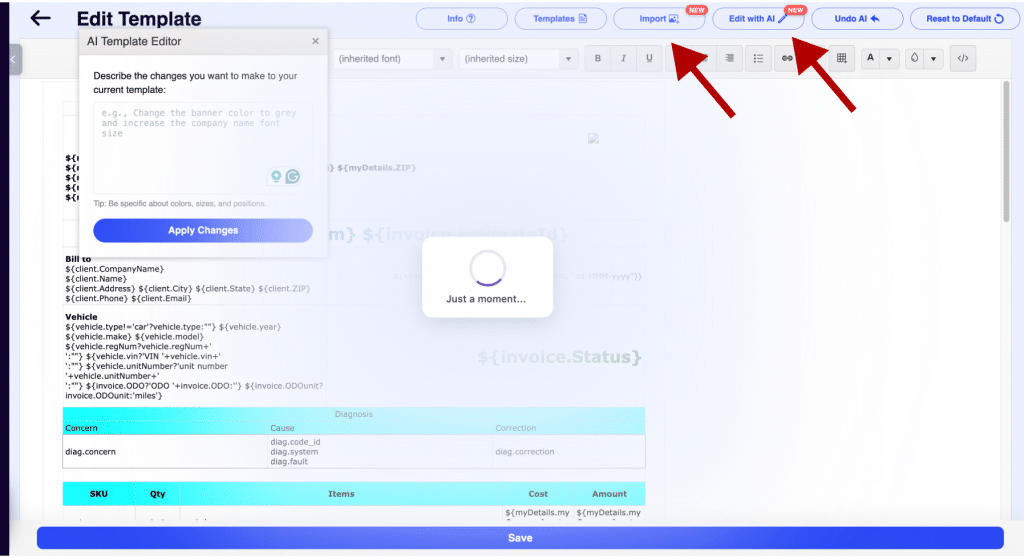
- Open Invoice Template Settings > Edit Template.
- Tap Import and snap a photo of your current invoice.
- Wait about 45 seconds while the AI does the heavy lifting.
- Review the digital twin, hit Save, and get back to the shop floor.
Your clients see the same familiar format they’ve always trusted. No disruption. No “new software” confusion.
“Make the Header Dark Blue” — Editing Without the Code
Once your template is loaded, you shouldn’t have to be a web developer to change a font size.
With our new Edit with AI feature, you just talk to your template in plain English. Want to change the look? Just type it:
- “Increase the company name font to 24px.”
- “Add a thin border around the totals section.”
- “Move the phone number below the address.”
The AI applies the changes instantly. If you don’t like it? Hit Undo. It’s like having a graphic designer sitting in the passenger seat, taking directions while you drive.
Do the Math: Minutes vs. Hours
Switching software usually comes with a “setup tax.” We’re here to repeal it.
| The Old Way | The ARI Way |
| 3+ Hours manually dragging boxes and labels | < 1 Minute to snap a photo and import |
| Frustrating HTML/CSS code to change a color | Simple English commands (“Make it blue”) |
| Disorganized invoices that confuse your clients | Consistent branding that your customers recognize |
The result? You close your laptop at 5:00 PM instead of 8:00 PM.
These features are live right now for all ARI PRO subscribers. You can find them under your Invoice Template Settings.
Go ahead—give your old paper invoice a new life.
Team ARI