Our latest update comes with one of the most requested features to date – the ability for clients to rate your shop using ARI (Auto Repair Software). That way, the quality of your services can reach more people, and you can attract new customers. You can activate the reviews feature and share it on all of the documents you are sending.
Let’s explore how the feature works.
Reviews section
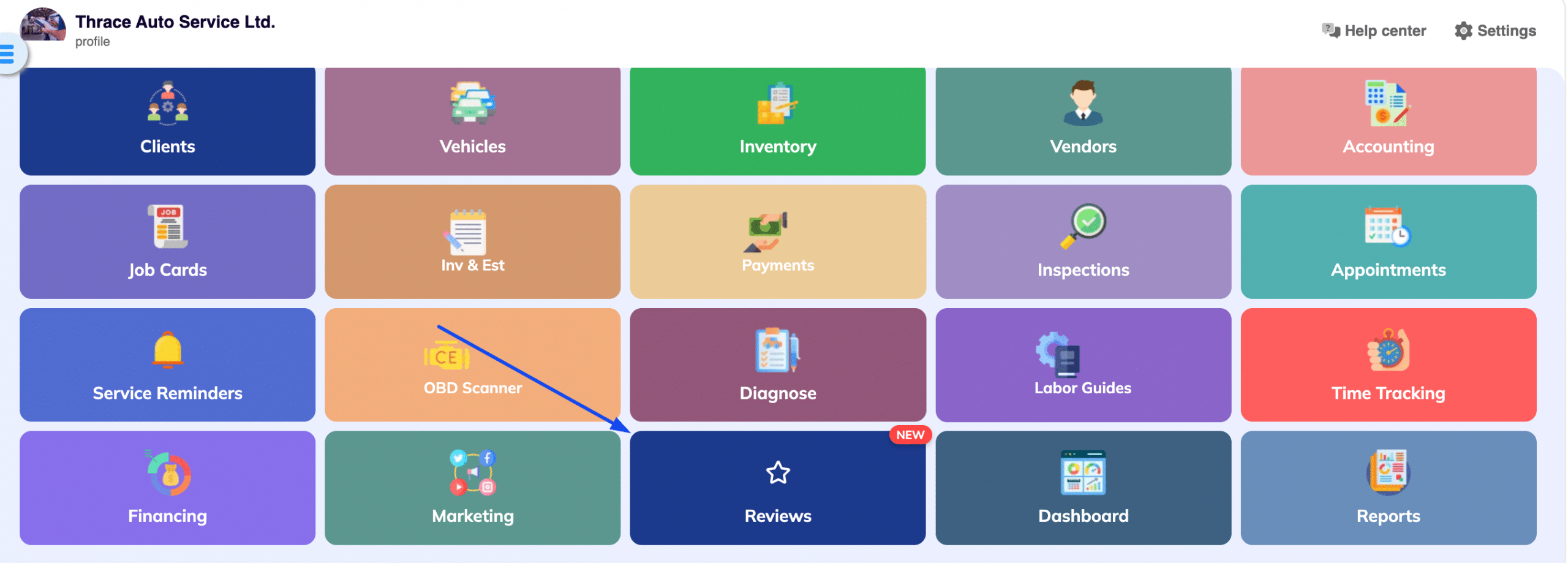
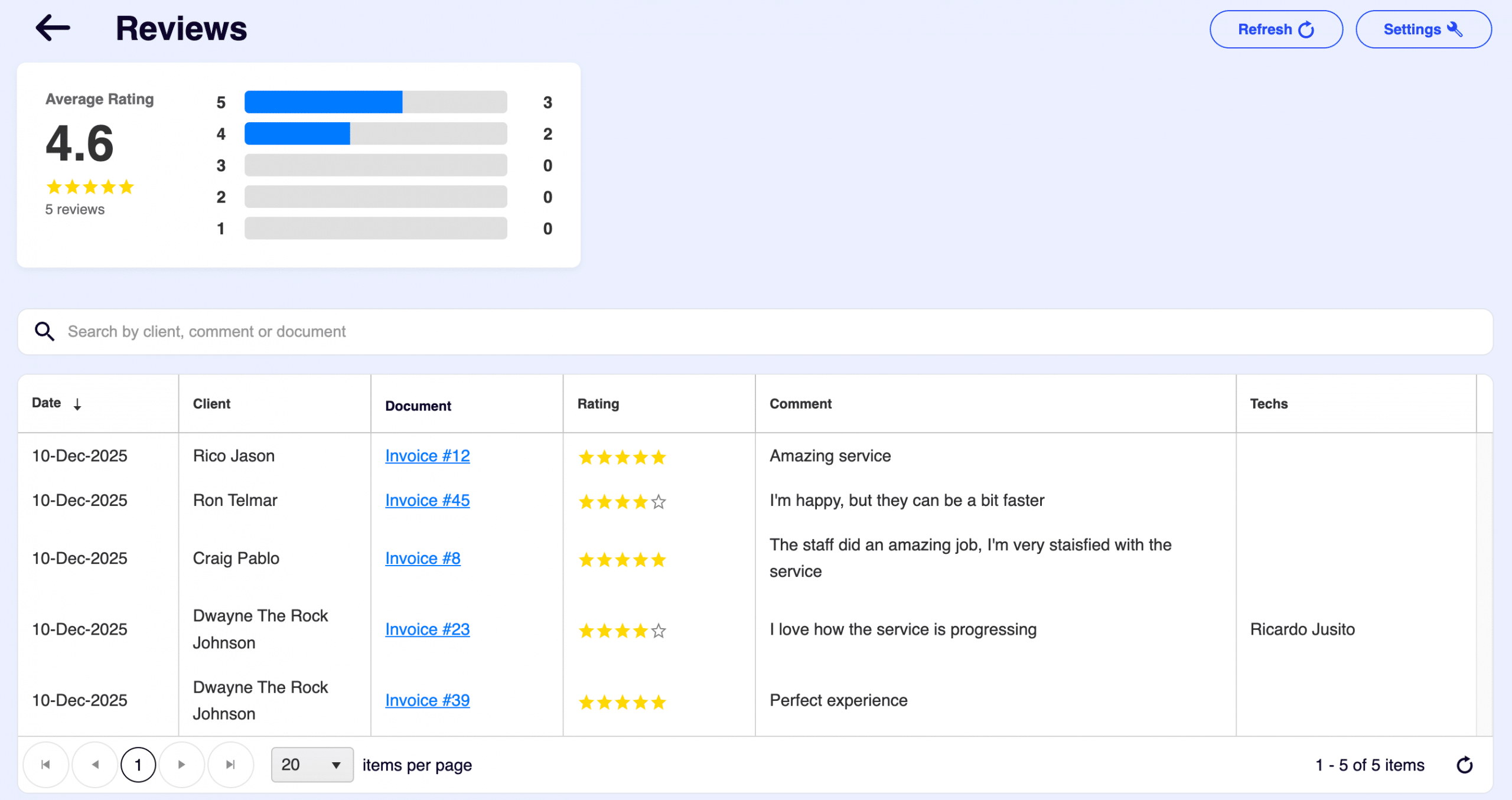
When you open the main menu, you will now see a reviews section present. There, you will see the entire list of client reviews you’ve received. And a settings section where you can choose where to expose the review option.
By default, client reviews are turned ON and are visible on every invoice, estimate, or inspection your customers receive. You can toggle this option off by going into the settings and switching the toggle on the exact item you want the rating to be exposed or hidden.
Client interaction
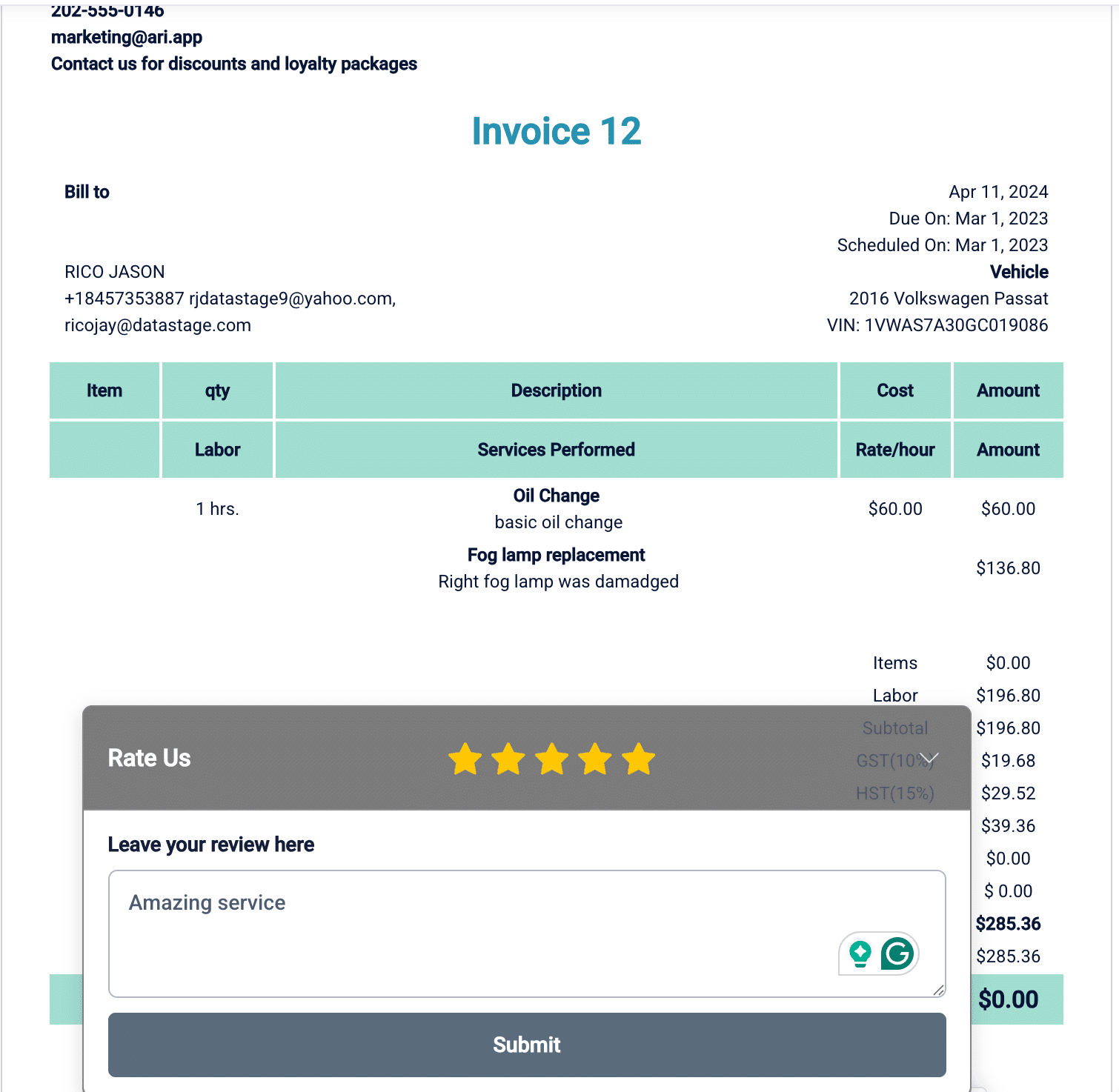
If you’ve turned on the reviews feature, clients will see it on each Invoice, Estimate, and Inspection you send them. They can expand the star panel at the bottom of the document, rate your shop, and leave a comment. After they click ‘submit‘, the review will be registered in the reviews section.
Your customers can also rate your shop through the client portal as they open the documents from there.
You will get notified of new reviews in the activity log each time a customer submits them.
Conclusion
Your customers can now rate their experience right from the documents you already share with them. This gives you a clear picture of how much value your service truly brings and where you can keep getting better. Over time, those small improvements add up to stronger trust, better reviews, and a shop that keeps raising its own standard.