

Digital vehicle inspections for repair shops and mobile mechanics

Show customers what needs attention

Give customers a clear picture of their vehicle's condition. With ARI, you can record inspection findings, explain them with notes and photos, and send a report they can open on their phone.

Help customers understand your recommendations before you discuss the work.

No app or login required to view the report. Photo attachments require ARI Pro Plus.
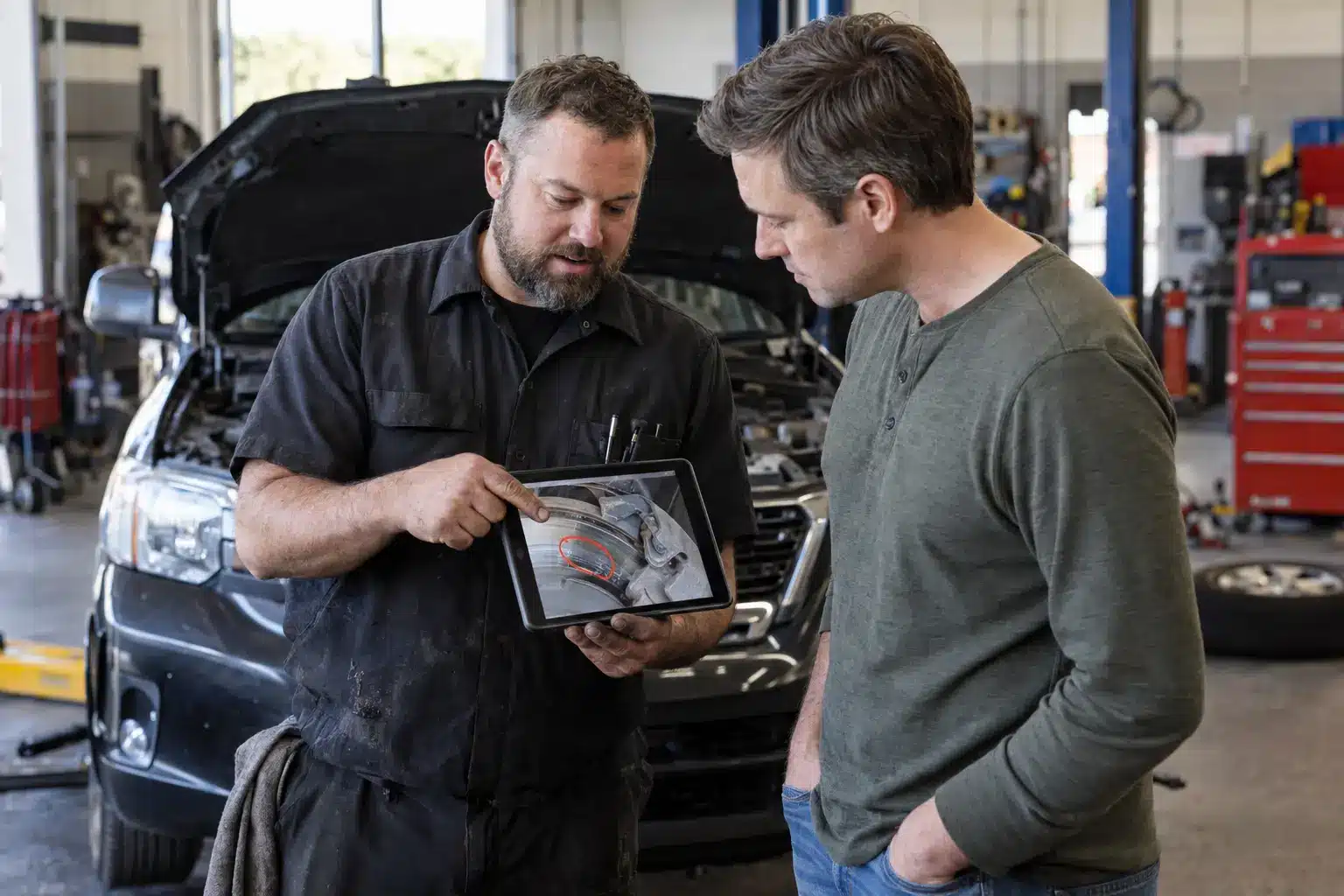
A technician showing a customer an inspection photo on a tablet in the shop

How to create a digital inspection

From checklist to finished report

Open Vehicle Inspections in ARI and start a new inspection for your customer's vehicle. Choose a checklist, record what you find, and review the report before sharing it.

Choose a checklist that fits the visit

Start with a built-in template or create your own. Adjust the items and categories to match the vehicles you service and the checks your team performs.

Record each finding while you inspect

Mark items Good, Fair, or Poor and add notes explaining their condition. With Walkaround Dictation, you can speak your findings as you move around the vehicle, then review the checklist ARI creates from your words.

Show the details behind your recommendation

Add photos beside the relevant findings so customers can see the wear, leak, or damage you're describing. Use the damage report to mark affected areas on a vehicle diagram.

Photo attachments are available on ARI Pro Plus.

Review and add your shop's branding

Check your ratings, notes, and photos, then write a summary of the vehicle's condition. Set your logo, colors, font, and disclaimer to give every report a consistent look.
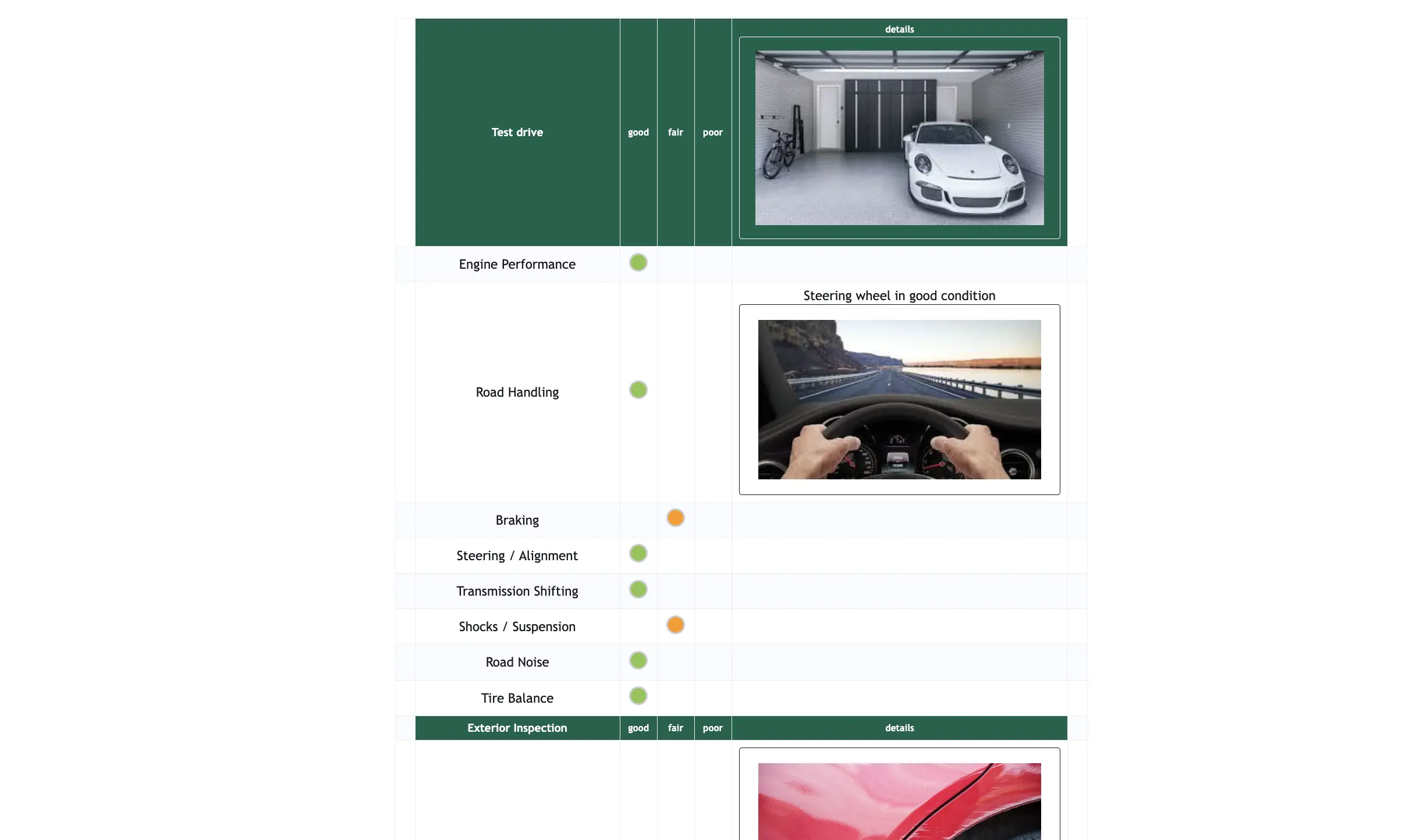
An inspection checklist in ARI with each item rated Good, Fair or Poor and photos attached to the findings

How to share a digital inspection with your clients

Save your inspection, then send it by email or text, or copy the report link to share with your customer. You can also attach the inspection to an invoice to keep the findings with the service paperwork.

Your customer opens the link in their browser. They can review the report wherever they are, so you have something specific to refer to when you discuss the next step.

When you're ready to quote the work, create a digital estimate for the recommended services. Customers approve or decline those services through the estimate.

How digital estimates work

What your clients see

Your customer sees the vehicle details, your shop's contact information, and the inspection results in one place.

Clear condition ratings

Each checklist item shows its Good, Fair, or Poor rating alongside your notes. Your summary gives customers an overview before they work through the details.

Photos that explain the finding

Customers can tap an attached photo to view it full size. A close-up of a cracked belt gives them a concrete reference when you explain why you recommend replacing it.

A copy they can keep

Customers can return to the online report, print it, or download a PDF. Supporting files you choose to share are available in the online report; they aren't included in the printed or downloaded PDF.

A connection to your shop

The report gives customers access to their Client Portal, where they can find past inspections and other service records. They can also use the appointment button to book another visit.
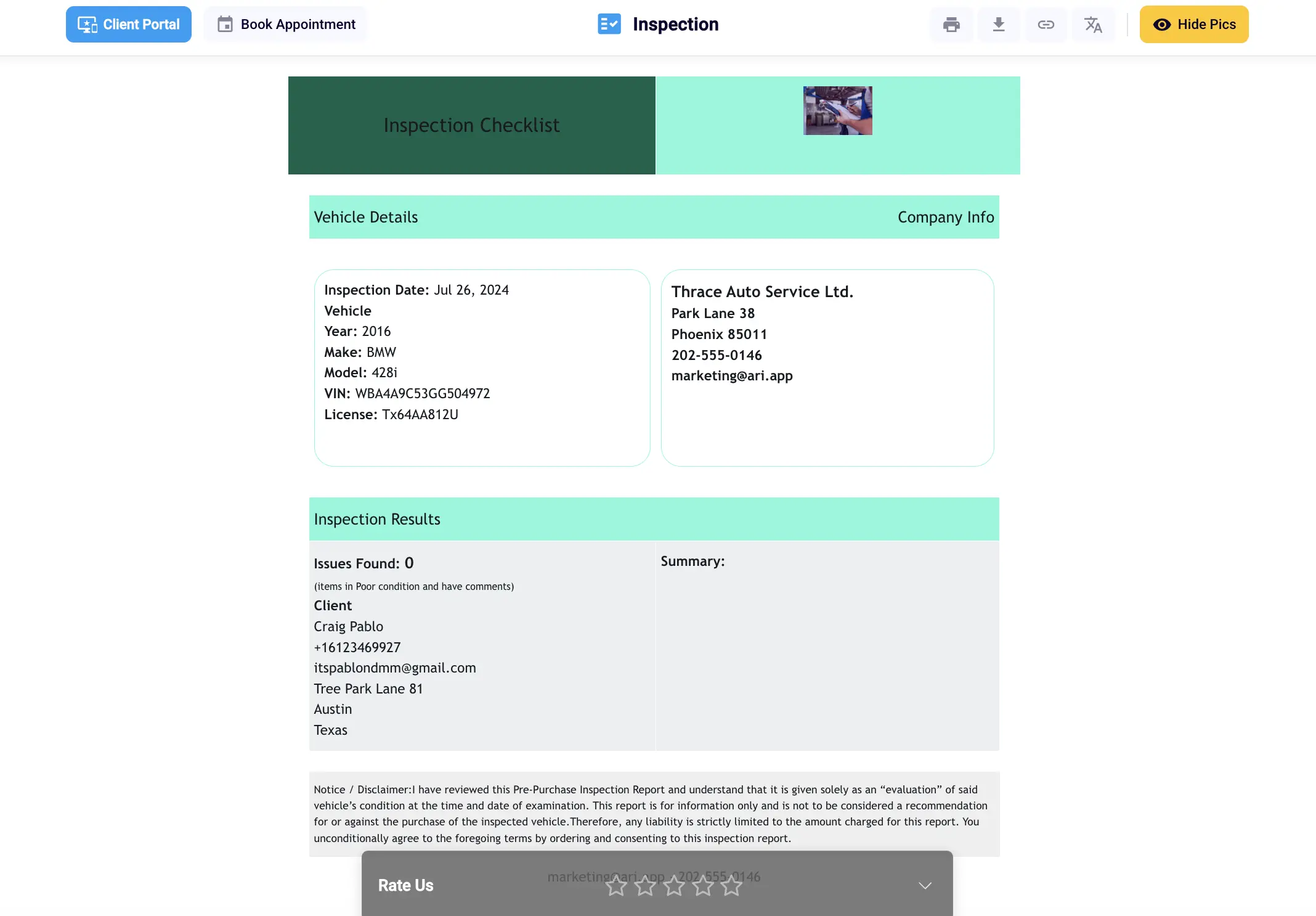
A digital inspection report open in a browser, showing vehicle details, company information and inspection results

Why digital inspections are better than paper inspections

A paper checklist records what you checked. A digital inspection brings the ratings, notes, and photos together in a report you can share and refer back to.

A photo sits beside the finding it supports, so customers can connect your recommendation to what you saw on their vehicle. And instead of a paper handoff at the counter, you share a link while the customer is at work or at home. They can review the findings before you speak, and they keep the report afterward.

Your checklists stay saved for the services you offer, and you can update them as your process changes. Each technician works from the same set of inspection items, so every customer gets the same checks described the same way.

Past inspections remain available in the customer's portal. At the next visit, you and your customer can refer to what was documented before, rather than looking for a copy of a sheet that was printed months ago.

Try it on your next vehicle

Create an inspection and send it to yourself. Open the report on your phone to see exactly how your findings will appear to a customer.

Client ExperienceA client silhouette beside a speech bubble with an approval checkmark.
Client Experience
Client Portal

ARI’s client portal lets clients easily stay informed when they visit you

Digital Invoices

Get the most out of your client management with our online documents

Online Booking

Share an interactive online booking page with your clients

Client Management

Add clients, vehicles & all the details that are relevant to them

Vehicle Management

Create detailed inspections with checklists, damage reports

Inventory Management

Manage your parts, tires, business assets, and all other important items.

Job Cards

Track labor progress, start & stop work clocks, approve & deny services.

Recycle Bin

Restore deleted invoices, clients & job cards within 7 days

Estimates

Create professional quotes for your auto repair clients

Invoices

Generate professional invoices for your auto shop’s clients

Inspections

Generate damage reports & attach pictures to your auto inspections

Appointments

Let your clients book your services online from the comfort of their home

Service Reminders

Earn return customers by reminding them when service is due

Accounting

Create purchase orders, track your expenses, and monitor your profits

OBD Scanner

Read Engine Error Codes with ARI monitor car’s parameters live

Reports & Stats

Reports for your business performance & export the data

Payments

Never miss a payment keep an eye on your invoice billing process

Marketing

Reach your core customers & market business across different channels

Vendors

Manage vendors, partners & orders for a streamlined repair experience

Time Tracking

Monitor and label the activity of multiple employees

Payment Processing

Receive payments on your Online Invoices with the world’s most renowned payment networks

Parts Ordering with
PartsTech

Order parts easily with PartsTech and ARI! Smooth and reliable parts procurement process.

M1 Labor Guides and
Estimates

Every mechanic benefits from quality Repair Guides and Car Repair Estimates.

Vehicle History with
CarFax

Get Service History Instantly. Decode VINs and Plates with Accurate Data from a Leading Supplier.

Car Diagnose with
CarMD

Get Diagnostic & Maintenance Info. Access Diagnosis, Solutions, and Problem Predictions.

Accounting with
QuickBooks

Sync ARI invoices to QuickBooks Online. Manage customers and inventory.

AI Labor
Guides

Get detailed labor guides, labor times, and estimates from the world's first AI labor guides system.

POS Terminal from 360Payments

Process In-Person Payments On The Spot. Geared towards auto repair businesses.

Customer Financing With Wisetack

ARI has partnered with Wisetack to offer your clients extra payment options for auto repair services.

Parts Ordering with
Nexpart

Order auto parts through Nexpart without leaving ARI — a faster, more reliable way to source what your shop needs.

Get Started

A complete guide to setting up and running your auto repair business

Profile Setup

ARI offers features and settings tailored for auto repair services

Update ARI

You must ensure you keep your app updated all the time

Blog

Welcome to ARI's blog for updates, articles, and guides

ARI Videos

Welcome To ARI's Official Video Library

ARI Awards

Here are our most notable achievements over the years.

ARI Demo

Test the features and see if it’s the right fit for you

Multiple Users

How to add multiple users to your ARI Profile

Referral Program

Get 3000 ARI Credits by referring someone to ARI