

Online booking for auto repair shops and mobile mechanics. Give customers a page where they can choose a service, find an available time, and request an appointment—even when you’re busy on a job or closed for the day.
Customers can use a simple booking form, chat with an AI assistant, or speak to the voice assistant. Their booking details go straight into your ARI calendar.
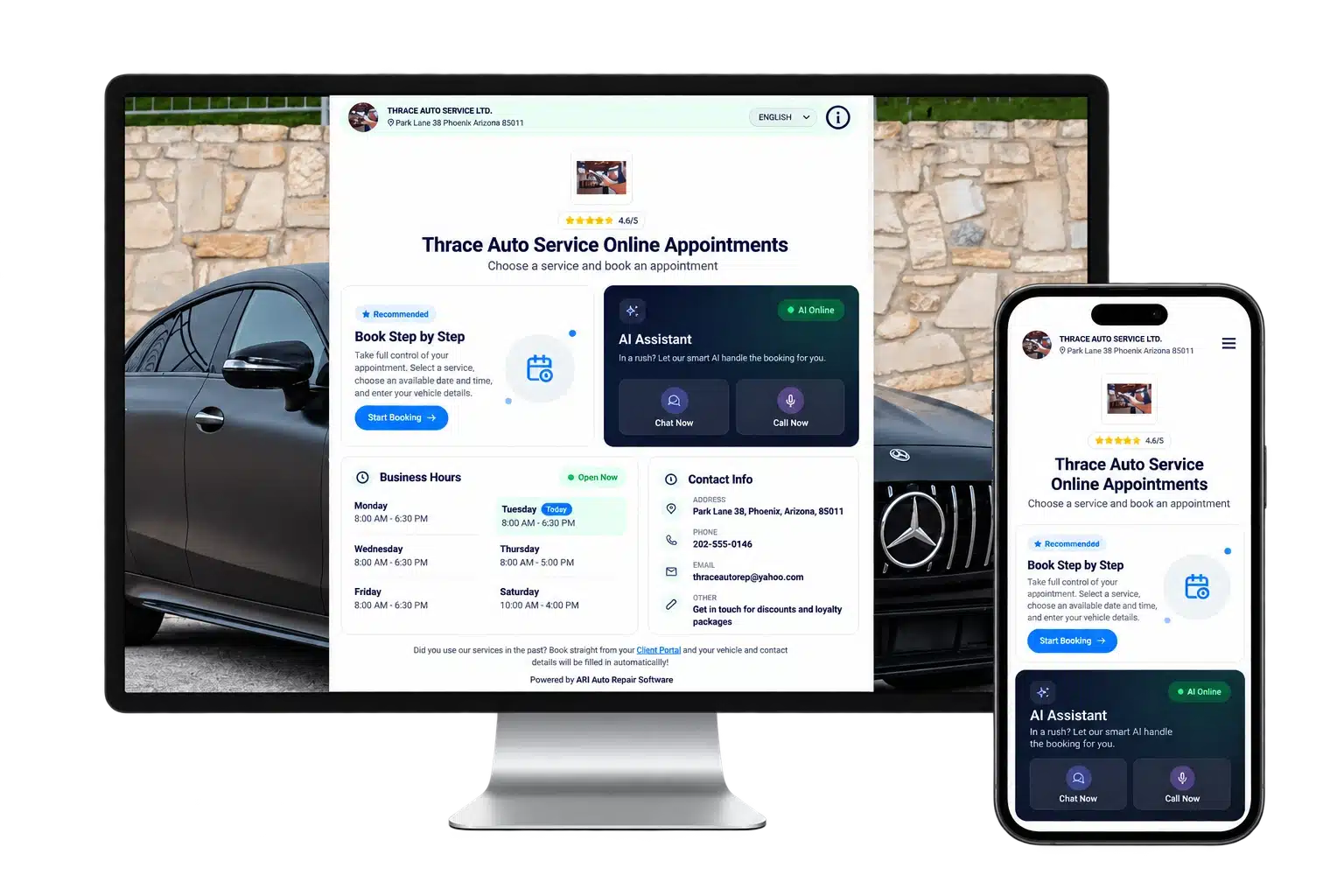
Online booking
Give customers a clear, welcoming place to book their next service. Add your logo, business name, colors, and a short introduction so they know they’re booking with you.
Your hours and contact details are easy to find. An open or closed indicator shows your current status, and your average customer rating appears when reviews are available.
The page works on phones, tablets, and computers, so customers can book wherever they are.
Explore the booking page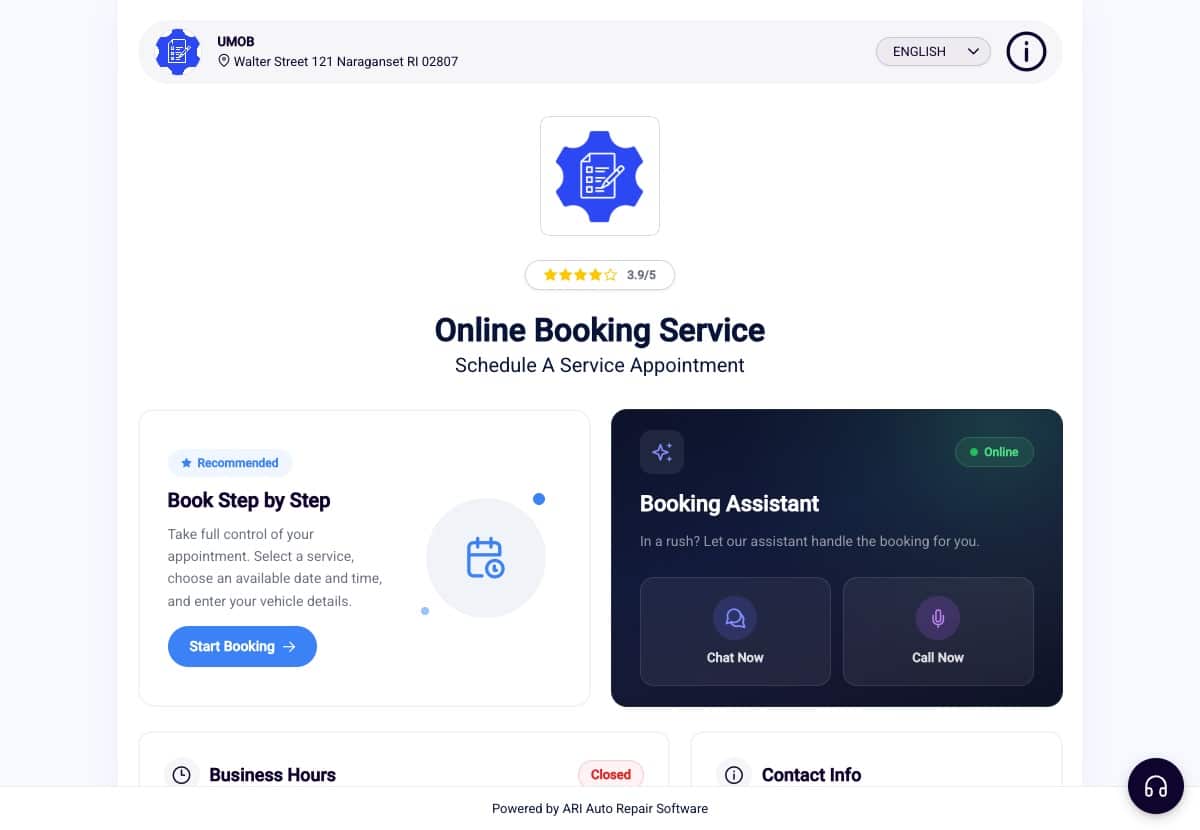
Some customers like to choose from a list. Others prefer a conversation. Your booking page gives them both options, with a voice assistant for those who would rather speak.
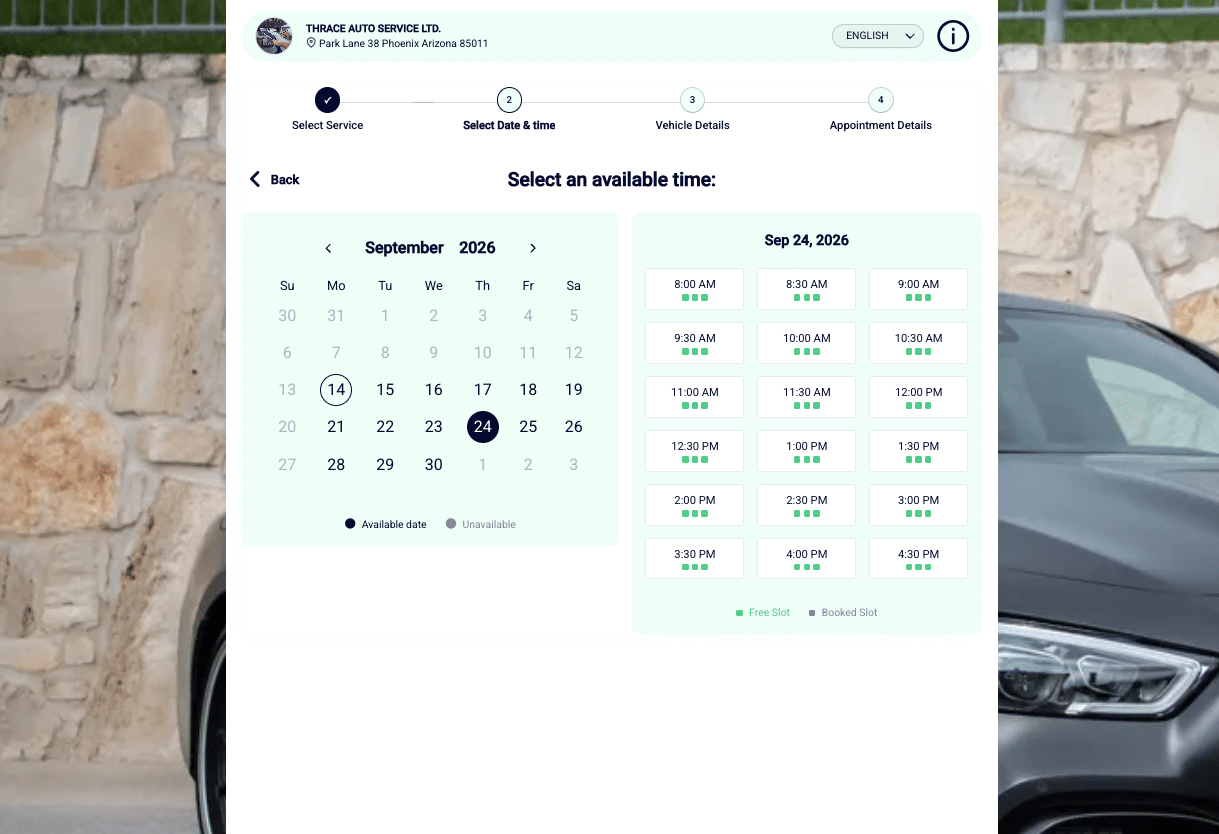
Customers choose a service, select an available date and time, and enter their vehicle and contact details.
Each step is clear, and the available times reflect the schedule you’ve set in ARI. Customers can see their options and send a booking request without calling to ask when you’re free.
The AI booking assistant guides customers through the process one question at a time. They can tap service options and available times, then provide the details you need for the appointment.
If they change their service selection along the way, the assistant updates the available times and continues the conversation.
See how the chat assistant works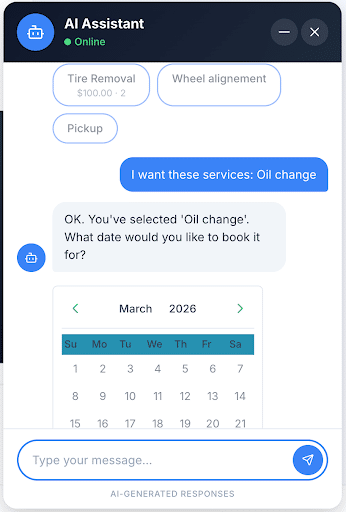
Customers can start a voice conversation directly from your booking page. They say what they need, and the assistant helps them choose a time and collects their vehicle and contact information.
Before submitting the booking, it reads the details back for the customer to confirm.
Both assistants are available around the clock and support English, Spanish, Arabic, and Hindi. They use the services and availability you’ve configured in ARI.
Meet the voice assistant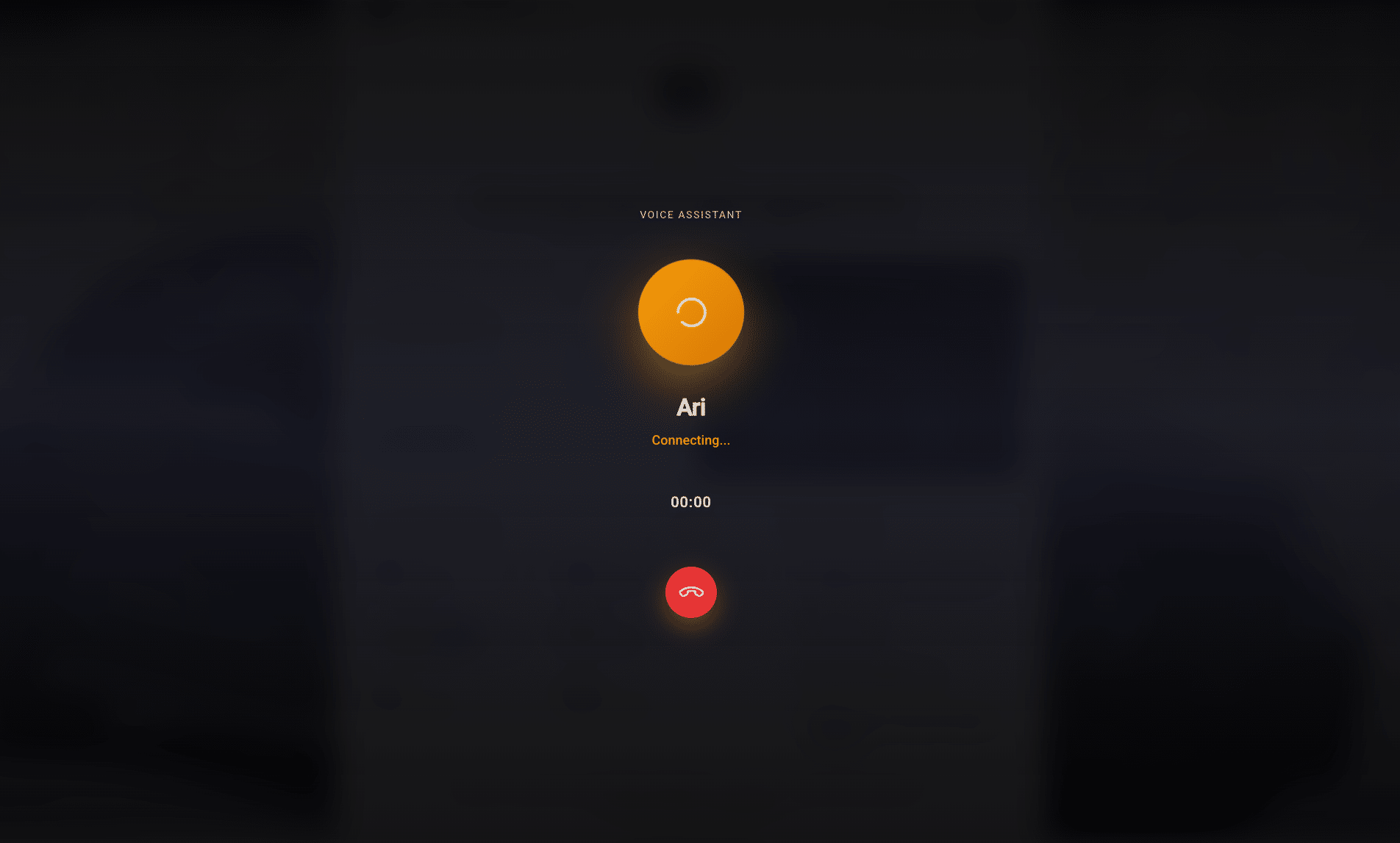
You decide which services customers can book and when you’re available. Set your working hours, breaks, days off, appointment capacity, and how much notice you need before a booking.
Whether you run a repair shop or work as a mobile mechanic, customers choose from the times you make available.
When a request comes in, ARI notifies you and adds it to your calendar with the booking details. Review and confirm it yourself, or enable automatic confirmation in your settings. Customers receive confirmation once their appointment is approved.
For appointments at your shop, customers can also show their appointment QR code when they arrive, helping you find their booking quickly.
Explore ARI’s appointments calendar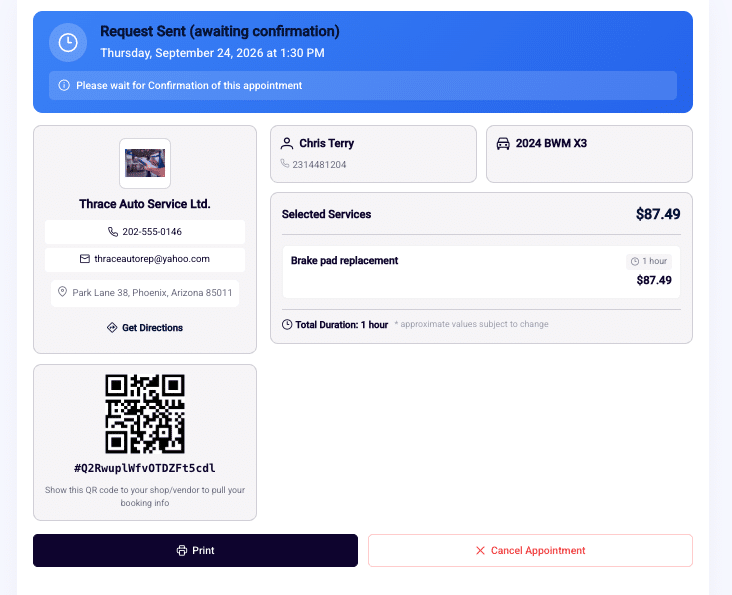
Your booking page has its own link, so you can start taking online appointments even if you don’t have a website.
Find it in ARI under Appointments > Settings > Booking Page URL. From there you can preview the page the way a customer sees it, copy the link to share, and get the code to embed it on your own site.
Send it by text, add it to your emails, or share it on your social profiles. Put a booking QR code on your counter, business cards, or service van so customers can open the page from their phone.
Already have a website? Embedded on your own pages, the booking page keeps the form and both assistants in the same place, so customers never leave your site to book.
Customers can also find your business through ARI Shops, where drivers search for local repair services and book with participating businesses.
Most of your work comes from people you have already served. Your booking link sits inside their ARI client portal, next to the invoices, estimates, and inspections you send them.
Every document you send carries a link to that portal, so the way back to your calendar is always a tap away. Three things in there point a customer at a booking instead of waiting for them to think of it.
Explore the client portal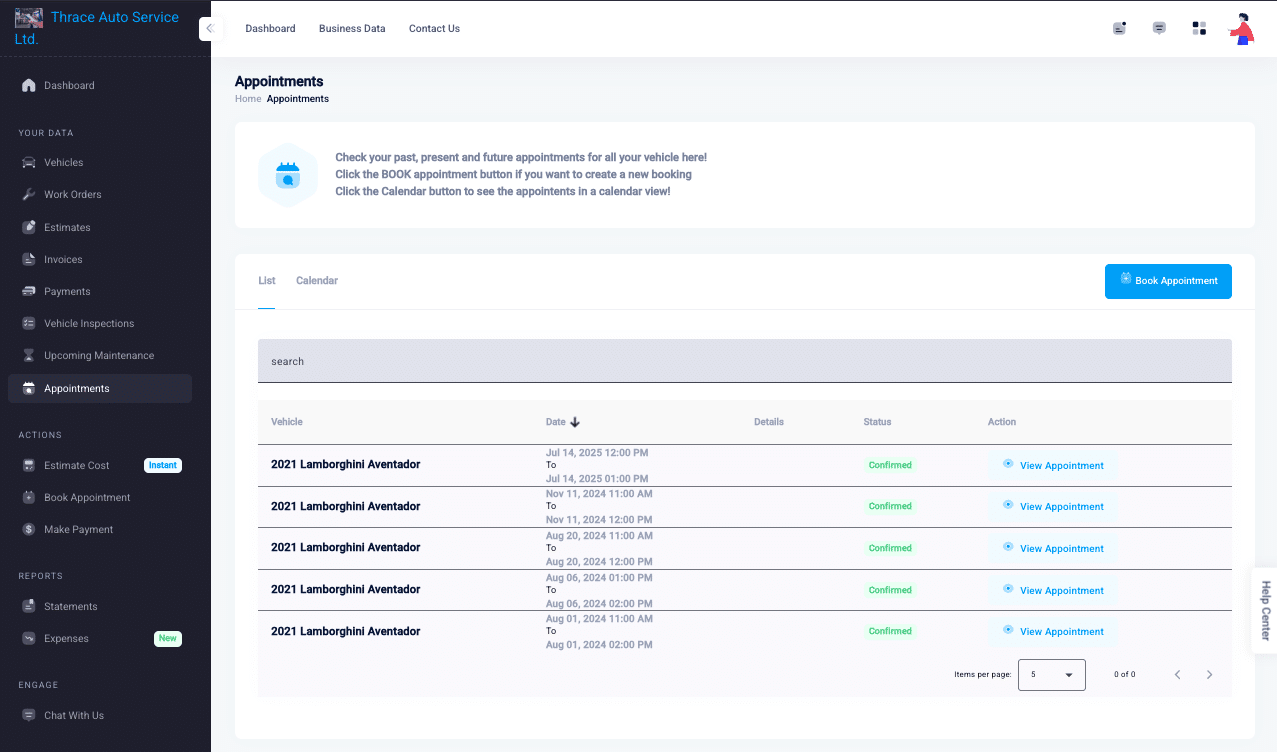
A customer describes what the vehicle is doing and gets a rough parts and labor figure, then books straight from it. The request reaches you with the diagnostic notes attached, so you know what you are looking at before you speak.
The customer sees that figure labeled as a guide. You confirm the scope and the price on your own estimate.
ARI tracks what each vehicle is due for. Send the reminder by email or SMS and the customer has a booking link in hand. The portal shows them the same thing, with the next service due and a prompt to book it.
The reminder sticker you print for the vehicle carries a QR code that opens your booking page. Reminders go out when you send them, not on their own.
The repair a customer put off last time stays listed against their vehicle. When they are ready, they start a booking request from that list and the work description comes with it.
No price travels with the request. You confirm what the job costs today in a new estimate.
Give customers a convenient way to request their next service, with your business details, your availability, and their choice of how to book.
Online appointments are included in ARI Pro, at $39.99 per month with monthly billing. ARI Pro Plus adds the option to remove ARI branding from your booking page.