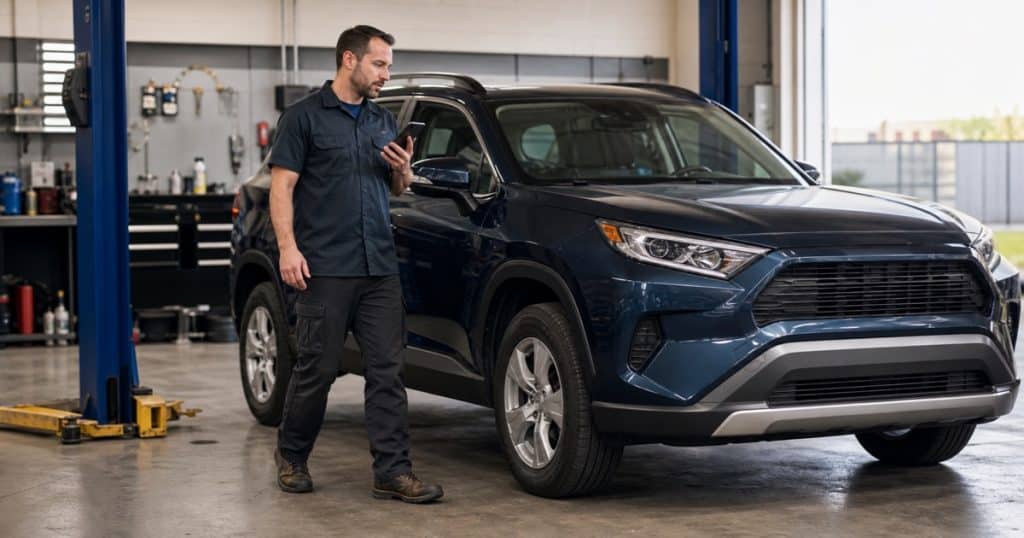
A vehicle inspection usually starts away from the keyboard. You are walking around the car, checking tires and lights, looking under the hood, and noticing the details a customer needs to understand. Stopping after every finding to hunt through a long digital checklist can break that rhythm.
ARI vehicle inspections now give technicians a faster, hands-busy way to document that walkaround. Walkaround Dictation can turn one spoken pass around the vehicle into structured checklist findings, while the rebuilt mobile checklist, templates, summary tools, photos, and files keep the report organized for review and sharing.
The redesigned inspection flow is available in ARI V16.3 and later on Web, iOS, Android, and Windows. Here is what changed—and how to use it in a real shop workflow.
Turn one spoken walkaround into structured findings
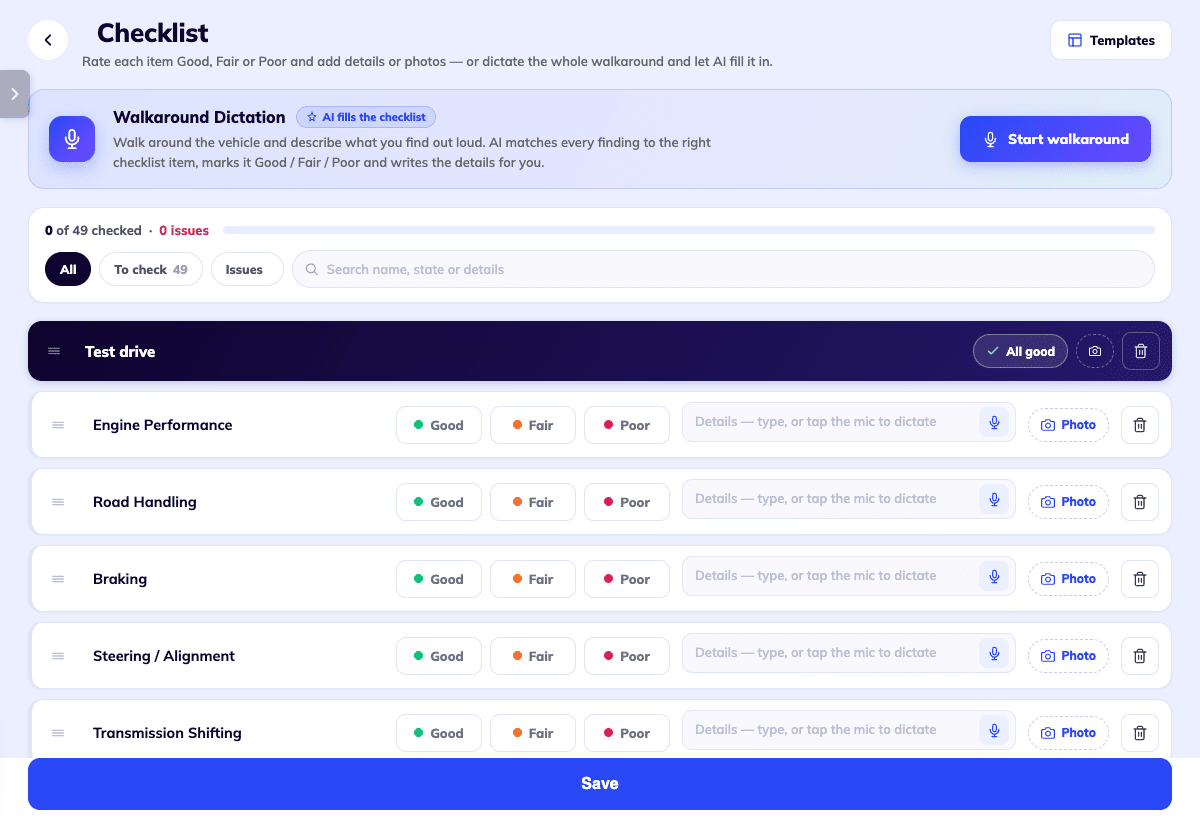
Open an inspection, choose Walkaround Dictation, and describe what you see naturally. ARI matches the spoken findings to relevant checklist items, assigns Good, Fair, or Poor ratings, and adds supporting details.
Items you do not mention stay unchanged. If you call out something that is not already on the checklist, ARI can offer to create a new check item. The generated batch is highlighted for review, and one tap can undo it if the result is not what you intended.
This makes dictation useful for an intake walkaround, a multipoint inspection, a pre-purchase check, or a mobile-service arrival condition report. It does not remove the technician from the process: review the generated ratings and notes before saving or sharing the inspection.
A mobile checklist designed for the bay
The new digital vehicle inspection checklist uses larger rating controls and keeps the essential actions close to each item. Technicians can mark an item Good, Fair, or Poor, add notes, dictate a single finding, and attach a photo without moving through separate screens.
A progress indicator shows how much of the checklist is complete. The All, To check, and Issues filters help you focus on unfinished items or findings that need attention. Search helps with longer inspections, and All good can speed up a section that has already been checked.
Walkaround Dictation is built specifically for Vehicle Inspections. It is separate from ARI’s Smart Voice Dictation for Concern, Cause, and Correction inside work orders, estimates, and invoices.
Start with the checklist that fits the visit
ARI includes five standard starting points: 50-Point, Level 1, Pre-Sale, Heavy-Duty, and Motorcycle. You can also build a checklist that matches your shop’s process, add or remove categories and items, and drag them into the order your technicians actually follow.
The right template keeps the inspection focused. A pre-sale inspection should not force the technician through the same sequence as a quick intake walkaround, and a heavy-duty vehicle needs different checkpoints from a motorcycle. For a practical setup process, see our guide to customizing ARI vehicle inspections.
Build a clear summary from the completed inspection
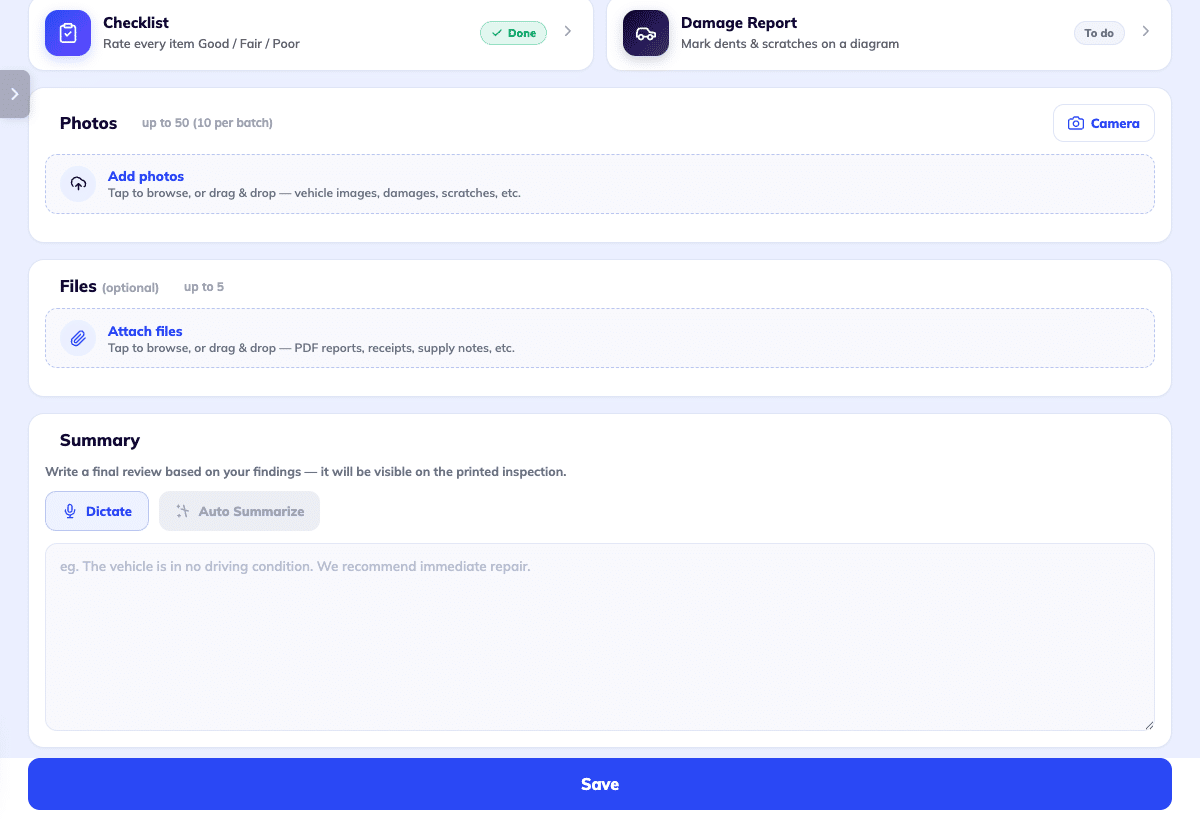
A completed checklist still needs a useful explanation. The Summary section now offers two ways to finish that part:
- Dictate cleans up your spoken summary and merges it with any summary text already present.
- Auto Summarize becomes available after the checklist contains at least one rating or note. It creates an overview of the vehicle’s condition and the items needing attention.
ARI asks before replacing an existing summary, and both actions can be reviewed or undone. Read the result before sending it so the wording matches what the technician actually found and does not overstate urgency.
Add the evidence a customer needs
The rebuilt editor brings the checklist, damage report, photos, files, and summary into one inspection. You can upload up to 50 photos in batches of 10 and add up to five PDF or image files, each up to 5 MB.
You decide which supporting files are customer-visible. Selected files appear on the online inspection page, where the customer can open them; they do not appear on printed or downloaded PDF copies. That distinction matters when your process depends on attached test results or other supporting documents.
Photo attachments and AI damage detection require ARI Pro Plus. Automatic damage annotations also use ARI Credits and may not identify every issue correctly, so treat them as a review aid—not a replacement for the technician’s judgment.
For the complete quality-control and sharing sequence, use our digital vehicle inspection workflow guide. You can also explore the main ARI Vehicle Inspections feature overview.
Try Walkaround Dictation on the next vehicle
Sign in to ARI, open Vehicle Inspections, start a new inspection, and choose Walkaround Dictation. Speak through the findings in the order you naturally inspect the vehicle, then review the generated checklist before saving.