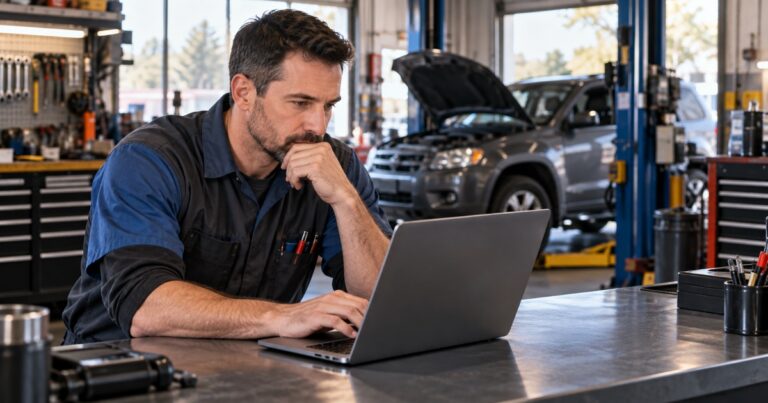
Running a mobile repair business means the shop travels with you. The phone in your pocket may be your front desk, estimate writer, work-order board, customer database, camera, and payment terminal—all before you pick up a wrench.
That freedom is the appeal. It is also why disconnected tools become painful so quickly. A booking arrives by text. The customer's address is in your contacts. The estimate lives in a PDF. Inspection photos sit in your camera roll. The invoice waits until you get home. Every handoff creates another chance to lose time, miss a detail, or delay payment.
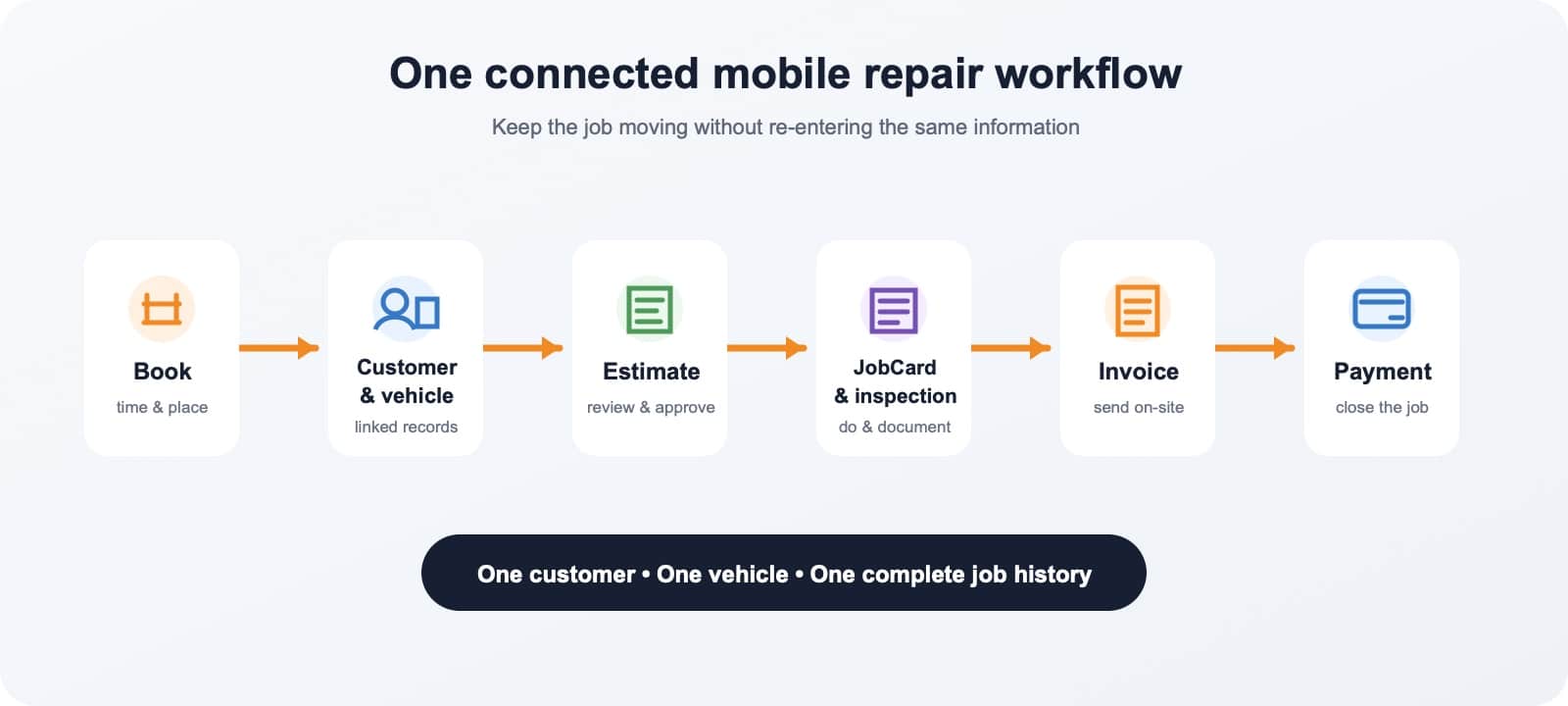
Good mobile mechanic software should connect the job from the first request to the final receipt.
It should help you:
- keep customer and vehicle details together;
- move cleanly from estimate to active repair;
- document what you found and what the customer approved; and
- create the invoice and collect payment before leaving.
The goal is to look professional at the customer's driveway without managing a system designed only for a large, fixed-location shop.
Here are the ten capabilities that matter most—and how to judge whether an app will actually work on the road.
1. Online booking and a schedule you can trust
A trustworthy schedule is your mobile front desk. You need to see the day's work, customer details, vehicle information, and job location wherever you are.
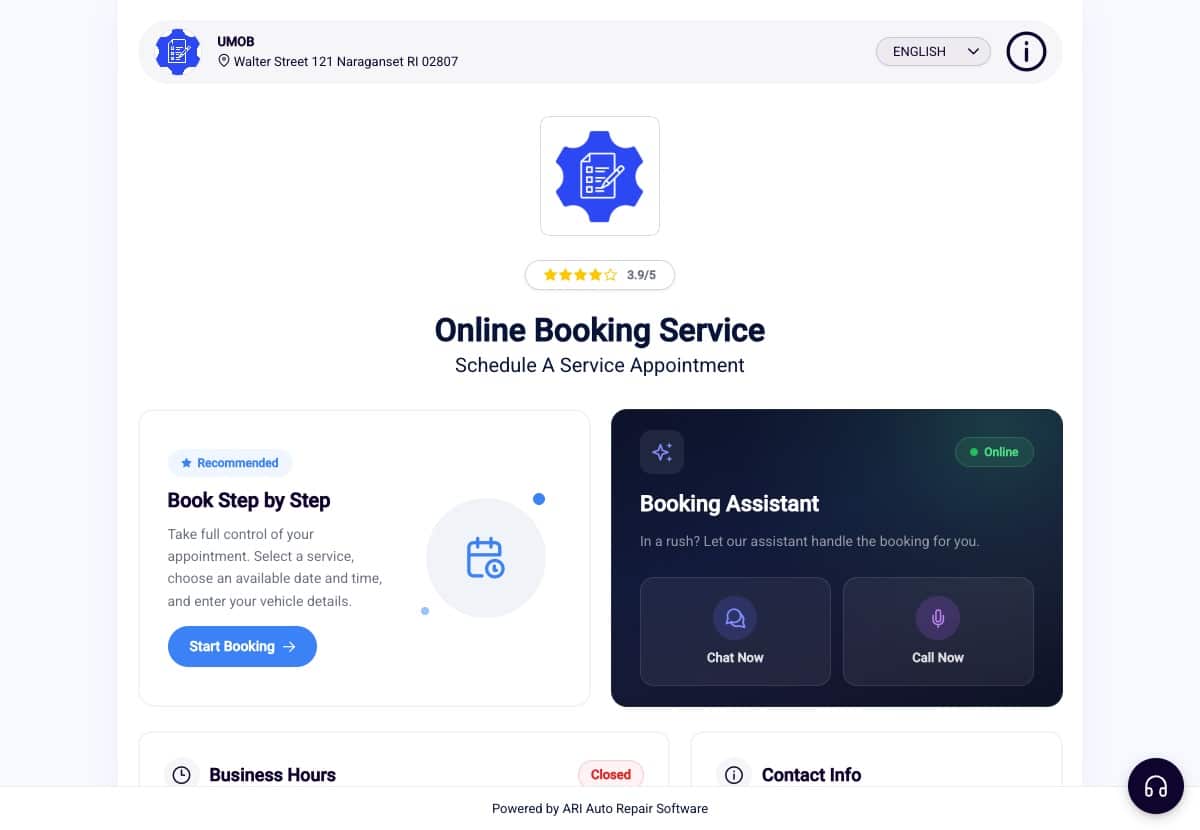
Look for software that lets customers request appointments online and keeps those bookings in the same calendar you use to manage the day. The booking form should capture enough information to qualify the request without making the customer complete a questionnaire.
At minimum, every booking should capture:
- the requested service;
- the vehicle;
- the service address;
- the customer's contact details;
- the requested date and time; and
- notes about the problem.
This is less about having a flashy calendar and more about reducing the back-and-forth before you can say yes to a job. ARI includes an online booking workflow and an ARI-hosted booking page, so a mechanic can share a booking link even without maintaining a separate website.
2. Customer and vehicle records that travel with you
You should not have to search old texts to remember what was done last time. Mobile mechanic business software should keep the customer, vehicle, documents, notes, and service history connected.
A useful customer record includes contact details, service address, messages, previous estimates and invoices, and notes.
The vehicle record should keep the VIN, plate, mileage, photos, and relevant history in one place.
For work in the field, fast vehicle entry matters. ARI's vehicle management tools support VIN scanning from a phone camera and license-plate decoding for supported US and Canadian vehicles. Those details can then stay linked with the customer and the repair documents created for that vehicle.
Quick test: If the customer calls six months later, can you understand their history without reconstructing it from five different apps?
3. Estimates customers can review and approve digitally
Verbal approval is easy to misunderstand, especially when the scope changes after diagnosis.
A professional estimate gives the customer a clear record of the recommended work, parts, labor, taxes, and total before repairs begin.
Your software should let you build and send the estimate from the job site. The customer should be able to review it on their own device, approve or decline recommended items, and sign digitally where appropriate.
ARI's auto repair estimates can be previewed and shared digitally. Recommended groups can be presented for customer approval or denial, helping separate today's authorized work from items that can wait.
Why it matters: Digital approval creates a cleaner handoff from diagnosis to authorization—and a better record for both the mechanic and the customer.
4. Work orders that keep each repair organized
An approved estimate tells you what the customer authorized. A work order helps you manage how the job gets completed.
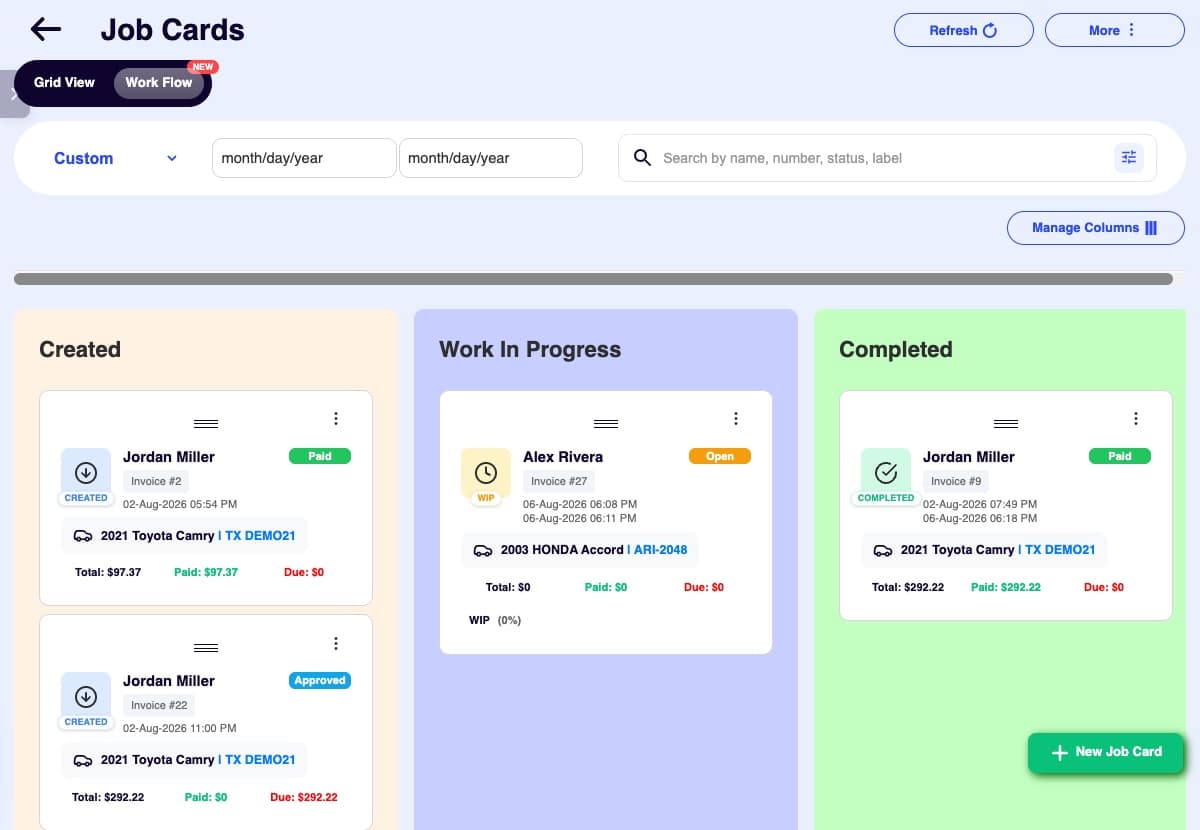
For a solo mechanic, that may be as simple as tracking status, parts, labor, notes, and completion. For a small mobile team, it may also include employee assignments, time tracking, and visibility into which jobs are waiting, active, or finished.
ARI calls its full repair records JobCards. Each JobCard contains the working document and can include status tracking, item-level actions, time clocks, notes, approvals, and related repair information. You can learn more on the Job Cards and work orders page.
Quick test: Does the work order keep the estimate, work performed, customer authorization, and final invoice connected—or make you enter the same job twice?
5. Digital inspections with photos and clear notes
Document the vehicle before the repair begins. Mobile work happens outside the controlled environment of a shop, so arrival-condition photos and a structured inspection can protect both the customer and the mechanic.
Look for digital vehicle inspections that support:
- reusable checklists;
- consistent condition labels;
- notes tied to individual findings;
- photos attached to the relevant item; and
- a customer-friendly report.
ARI's digital vehicle inspection workflow supports checklists, notes, condition reporting, and customer-ready reports. Photo attachments are available with the applicable plan. The goal is not to bury the customer in red and green boxes; it is to show what you checked, what you observed, why it matters, and what should happen next.
Keep the roles clear: The inspection documents the condition; the estimate presents the proposed work and price.
6. Labor, parts, and repair information at the vehicle
You need accurate job information where the vehicle is parked. Mobile mechanics do not have a parts counter or desktop reference system a few steps away.
Useful software can help you identify labor operations, estimate labor time, build a parts-and-labor list, and keep diagnostic notes with the job. But convenience does not replace professional judgment: labor times are estimating references, AI-generated suggestions require review, and safety-critical procedures and specifications should always be confirmed against authoritative service information.
ARI includes labor guides and estimating tools alongside repair-assistance workflows. In a JobCard, the Issues Found or Reported workflow can organize the customer's concern, cause, and correction, then help carry reviewed parts and labor into job planning.
The better buying question: Not “Does it use AI?” but “Does it help me move verified information into an accurate estimate without retyping the job?”
7. Professional invoices before you leave
Create the invoice while the job details are still fresh. Waiting until the evening delays payment and increases the chance that parts, fees, or notes are forgotten.
Mobile mechanic invoice software should turn the completed job into a polished invoice while the details are still fresh. You should be able to include your business information, customer and vehicle details, parts, labor, taxes, payment terms, notes, and any required disclosures.
ARI's auto repair invoicing supports customizable invoices that can be previewed and shared digitally. Because estimates, JobCards, customers, and vehicles live in the same system, the final invoice can follow the job instead of starting from a blank document.
Quick test: Send yourself a sample invoice and open it on a phone. Are the totals clear? Does the business look credible? Can the customer understand what they are paying for?
8. Payment options that work at the job site
Finishing the repair is only half the job. Your payment workflow should make it easy for the customer to pay without turning you into a collections department.
Depending on how you operate, you may need:
- a Pay Now option on a digital invoice;
- online card payments;
- a supported mobile or in-person terminal;
- a clean way to record cash or check; and
- payment status tied back to the invoice.
With a connected processor enabled, ARI can add a Pay Now option to shared digital invoices. ARI also supports several payment workflows, including online payments and supported in-person options through specific integrations.
Always compare processor availability, transaction fees, hardware, settlement timing, and regional support separately from the software subscription. The best choice depends on how and where you collect payment.
9. Follow-up tools that bring customers back
A mobile mechanic needs a deliberate way to stay visible after leaving the driveway. Unlike a fixed shop, you do not have signage, a waiting room, or a familiar location reminding customers to return.
Connected customer history makes follow-up more useful. Instead of sending a generic promotion, you can remind a customer about a service that is actually due, revisit deferred work, or make it easy to book the next appointment.
Look for service reminders, customer messaging history, review requests, and a customer portal or shared record. ARI's service reminders can track future service dates and help notify clients. Customer and vehicle records also keep prior documents and service context available for the next visit.
The principle: Repeat business should come from relevant service and reliable communication—not from spamming every contact in your phone.
10. One connected workflow across phone, web, and desktop
Mobile-first should not mean mobile-only. You may create an estimate beside the vehicle, review reports on a laptop, and reconcile the day from a desktop. The records should stay consistent across those devices.
Before committing to software, test one real workflow:
- Create a customer and vehicle.
- Book an appointment.
- Build and send an estimate.
- Record the active repair.
- Add an inspection finding and photo.
- Create the final invoice.
- Record or collect payment.
- Find the entire job again from the customer record.
ARI is available on web, iOS, Android, and Windows. Its connected workflow covers appointments, customers, vehicles, estimates, JobCards, inspections, invoices, and payments. That makes it suitable for a mechanic who starts on a phone but does not want the business trapped on one device.
A practical buyer's checklist
Feature lists can be misleading. Use this shorter checklist when you compare mobile mechanic software:
- Road-ready: Can you complete the essential job steps comfortably on a phone or tablet?
- Connected: Do customer, vehicle, estimate, work order, inspection, invoice, and payment records stay linked?
- Fast to learn: Can you create a real job without a long implementation project?
- Professional output: Do customer-facing estimates, inspections, and invoices look trustworthy?
- Approvals and records: Can you document what the customer reviewed and authorized?
- Payment fit: Does it support the processors and collection methods you actually use?
- Vehicle-specific tools: Does it understand VINs, labor, parts, and automotive workflows—or is it generic field-service software?
- Device flexibility: Can you move between phone, tablet, web, and desktop as your day requires?
- Transparent cost: Are subscription tiers, payment fees, add-ons, and hardware requirements clear?
- Room to grow: Can the same system support another technician or a future fixed location without rebuilding your records?
Bottom line: The right software should remove handoffs, not create new ones.
How ARI supports a mobile repair workflow
ARI was built for auto repair work and is designed to carry a job from booking to payment. A mobile mechanic can keep the customer and vehicle together, prepare an estimate, manage the repair in a JobCard, document findings, create an invoice, and offer connected payment options.
It also includes automotive-specific tools that generic field-service apps may not provide, including VIN and plate workflows, labor and repair information, inspections, service reminders, and linked vehicle history.
If your current system is a mix of texts, paper, notes, and separate payment links, the easiest way to evaluate ARI is to run one complete sample job through it. Explore ARI and judge the workflow by how much retyping it removes.
Frequently asked questions
What is mobile mechanic software?
Mobile mechanic software is a business-management system for mechanics who perform repairs at a customer's home, workplace, roadside location, or fleet yard. It typically connects scheduling, customer and vehicle records, estimates, work orders, inspections, invoices, and payments in a workflow that can be used away from a fixed shop.
Can I run a mobile mechanic business entirely from my phone?
Many daily tasks can be handled from a phone when the software has a capable mobile app or mobile-friendly web experience. Complex reporting, bulk data work, or business setup may still be more comfortable on a larger screen. Test the exact booking-to-payment workflow on the devices you plan to use.
How is mobile mechanic software different from generic field-service software?
Generic field-service software can handle scheduling and invoices, but automotive software is more likely to include vehicle records, VIN tools, labor and parts workflows, repair orders, inspections, service history, and other mechanic-specific functions.
Can customers approve estimates and pay invoices online?
That depends on the platform and connected payment processor. ARI supports digital estimate sharing and approval workflows. With an active supported processor, shared digital invoices can offer a Pay Now option.
What should a solo mobile mechanic prioritize first?
Start with customer and vehicle records, estimates, invoicing, and payment collection. Then add scheduling, work-order tracking, inspections, and reminders. A connected system is usually more valuable than a longer list of isolated features.
Do I need a physical shop to use mobile mechanic software?
No. Mobile mechanic software is specifically useful for businesses operating from a service vehicle or traveling to customers. A web-based booking page, digital documents, and online payments can provide much of the customer-facing infrastructure that would otherwise happen at a front desk.